This post provides a way for you to find more posts in this series. If there is a component in Pull that is not covered, and you would like it to be covered, please contact me.
If you are using AppFabric and decide to swap out the ASP.NET standard caching with it, you may run into the error:
Could not load type "Microsoft.ApplicationServer.Caching.DataCacheSessionStoreProvider"
The error will be pointing to the type of the custom session (line 5 below):
<sessionStatemode="Custom"customProvider="AppFabricCacheSessionStoreProvider"><providers><!-- specify the named cache for session data --><addname="AppFabricCacheSessionStoreProvider"type="Microsoft.ApplicationServer.Caching.DataCacheSessionStoreProvider"cacheName="TailSpin"sharedId="TailSpinTravelId"/></providers></sessionState>
The cause is that the application can’t find that class. To help it find it, you need to add the following to Configuration → System.Web → Compilation → Assemblies:
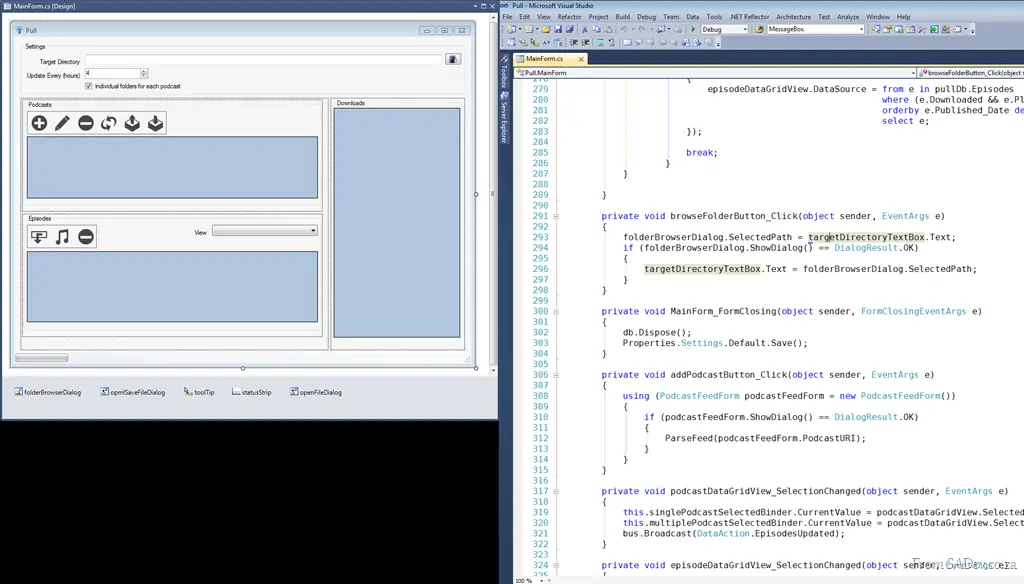
Visual Studio 2010 has the ability to undock code windows by clicking and dragging on the code window tabs. This is a great feature, and it is often touted for multi-monitor setups where you may want to have the form on one monitor and code on another, or maybe two different code files open at the same time.
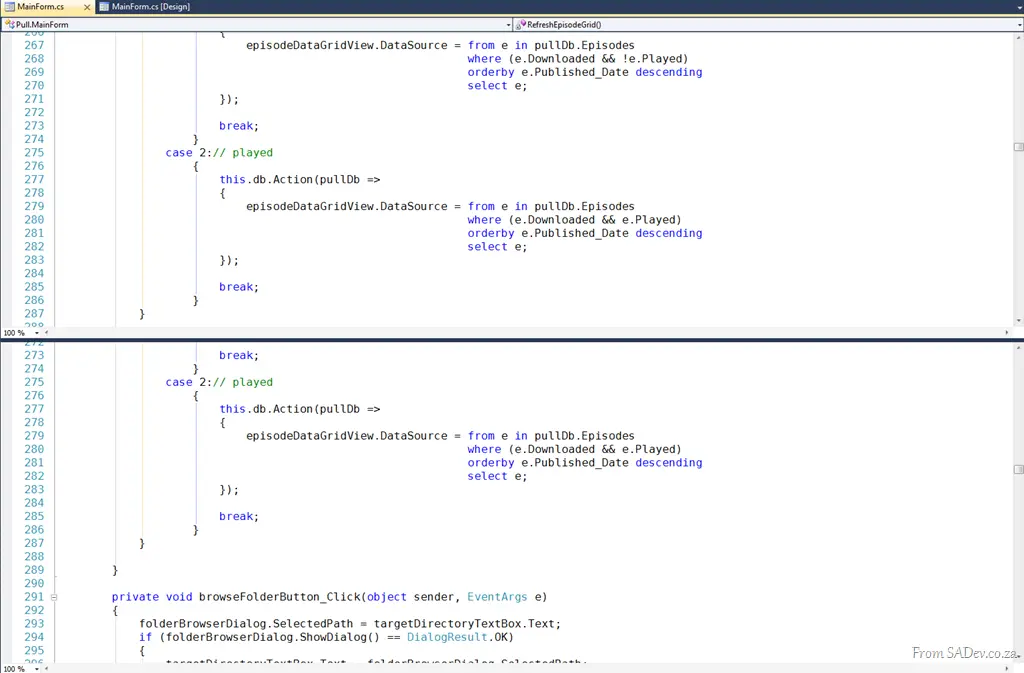
That is very useful, however, that is not why I like this feature. I like the ability to undock the windows because it lets me view two different parts of the same file at the same time. Visual Studio 2010 and earlier supported this using the split view option (), but that means you lose half of your screen (as shown below).
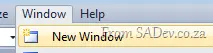
Using the undock windows feature in 2010, you can use the Window → New Window option to duplicate the current window.
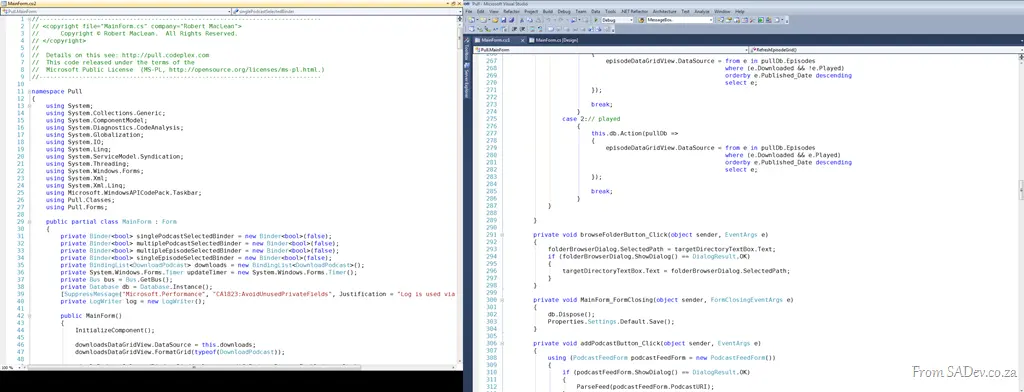
Then you can drag the second (or third, or fourth) window out and achieve a full-screen side-by-side view—which is great for comparing code.
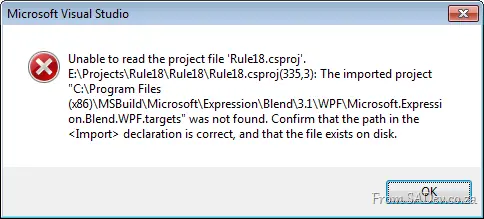
I ran into an issue recently after reinstalling my laptop, where I couldn’t open a C# (WPF) project in Visual Studio 2010. Every time I tried it just grimaced at me and said:
Unable to read the project file 'Rule18.csproj'.
E:\Projects\Rule18\Rule18\Rule18.csproj(335,3): The imported project "C:\Program Files (x86)\MSBuild\Microsoft\Expression\Blend\3.1\WPF\Microsoft.Expression.Blend.WPF.targets" was not found. Confirm that the path in the <Import> declaration is correct, and that the file exists on disk.
Part of the cause is that previously I had Blend installed, and I had used it on this project for some fairly complex tasks, particularly font embedding. However, since reinstalling, I had not reinstalled Blend again.
This caused the build target file to be missing, leading to the error.
How do you get around this?
The best solution is to install the FREE Blend SDK, which places the required build targets on your machine. Links to the SDKs:
However, I didn’t have time to do this, so as a temporary workaround (though not recommended), I opened the project file and located the <Import> section near the bottom, which included references to C# and Blend. I removed the Blend-related import, saved the file, and the project loaded successfully.
I am playing around with using VirtualBox to run virtual machines and I ran into an issue trying to use a clone (copy) of a VDI file. The VDI file is the hard disk drive, and it has a unique identifier in it (UUID). Trying to use a clone of one gives you the error: UUID of the hard disk is already existing in the media registry.
To solve it, you need to run the following command to change the UUID of the file:
Here are the slides from my talk on Application Lifecycle Management in 2010, which I gave for the Information Worker user group.
Here is the blurb for the session:
Development is not just about writing code and pressing Compile. It is a process that begins long before code is written and extends long after the compile is done—and this process includes a lot of management. This process is called Application Lifecycle Management (ALM).
SharePoint development is not immune to this, and this presentation examines the landscape and tools available for ALM in 2010 and how they relate to SharePoint development.
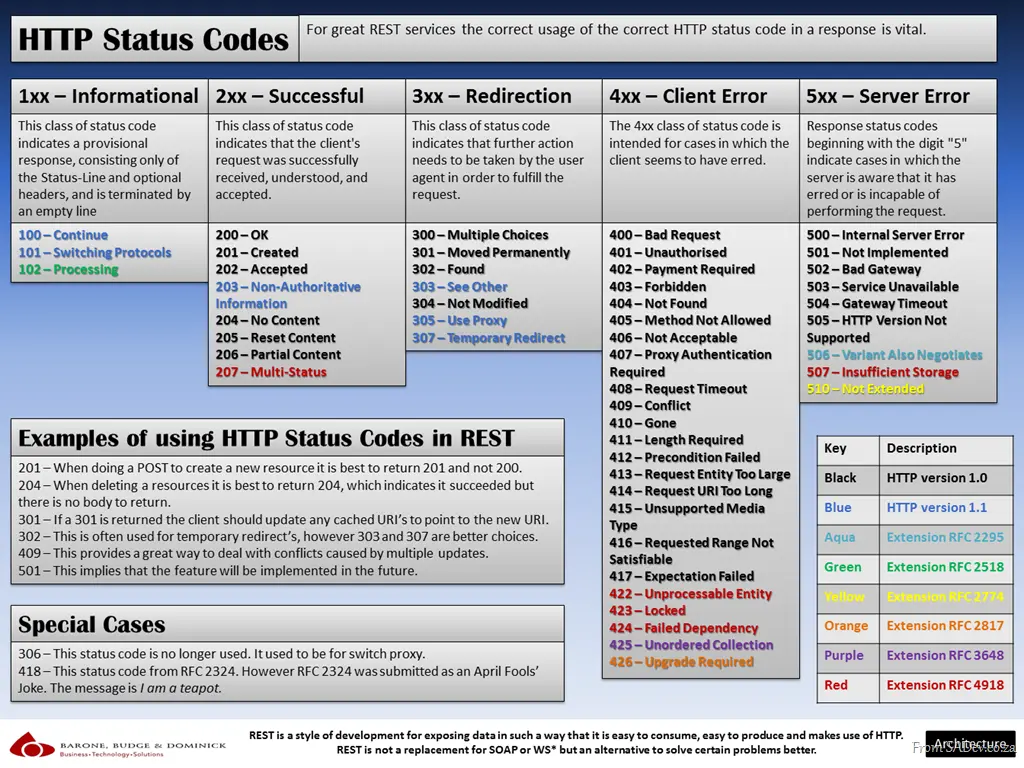
Today’s poster is for the variety of HTTP status codes that exist. There are not only the 34 original HTTP/1.0 ones and the 6 new ones introduced with 1.1, but also 10 extensions from official RFCs and two special cases—52 in total. It isn’t easy to remember them all, so this poster serves as a cheat sheet to help.
It is also related to my other REST cheat sheet, since proper HTTP status code usage is important for building good REST services.
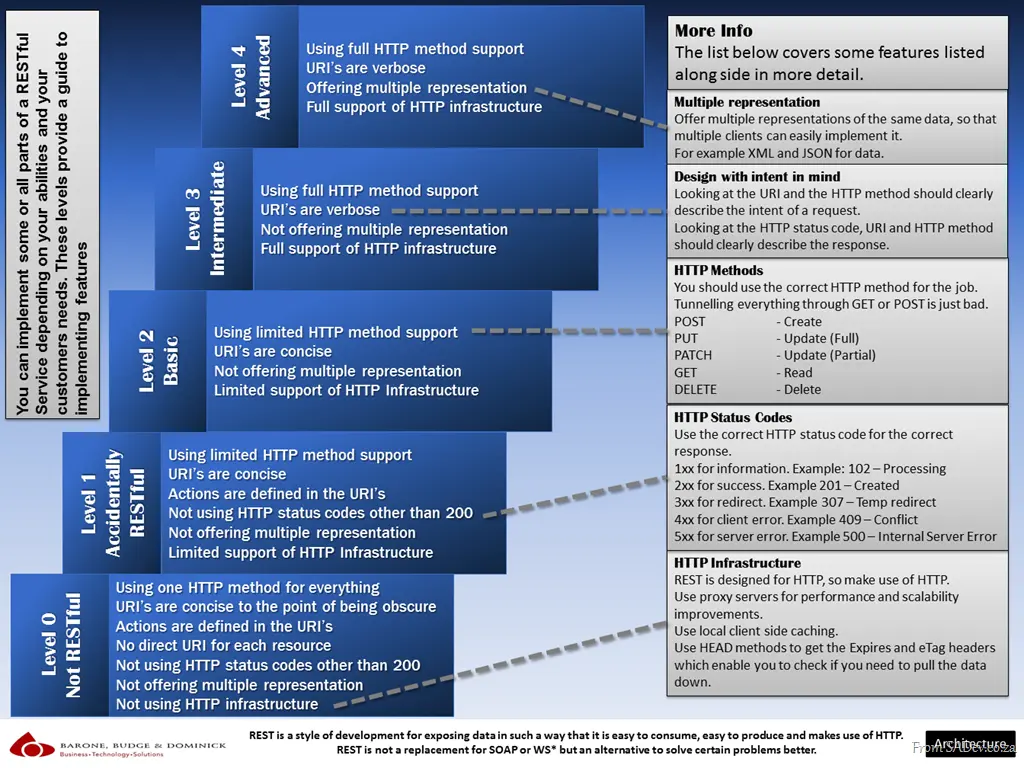
Today’s quick reference poster looks at REST services and gives a guide to how RESTful—or not—your services are, from level 0 (not RESTful) to level 4 (using everything). These are not scientific levels; it is just a simple classification I devised to promote easy communication about the services. The idea behind this is to promote thinking about which features to use and assist with communication in a team. It is not a requirement to always have level 4—sometimes you just need level 1, and that’s fine. Do not overengineer for the sake of saying you are level 99.
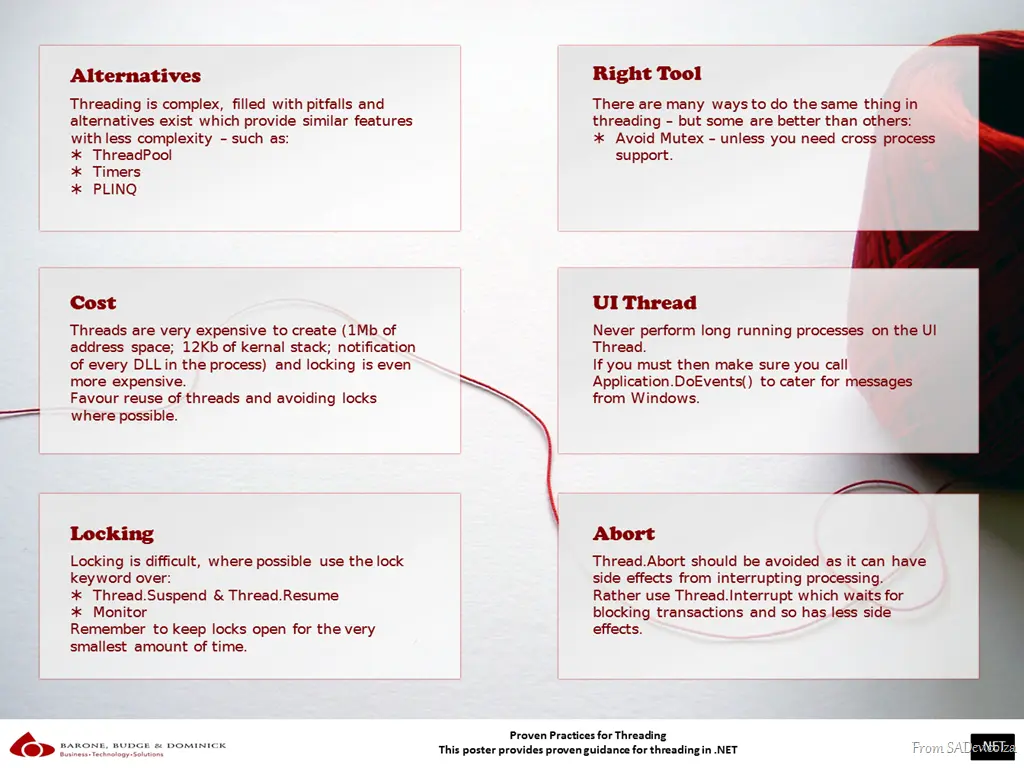
This poster is based on my talk on .NET Threading, which I wrote about—the entire process of creating that talk (see here). This poster takes the key proven practices from the talk and groups them into six themes for easy consumption.
One of my favourite aspects of my work at BB&D is the creation of quick reference posters and cheat sheets for the DRP site, which is one of BB&D’s ways of sharing knowledge outside the organisation. I have recently produced a bunch of new posters, which I will be releasing over the next few days. First up is…
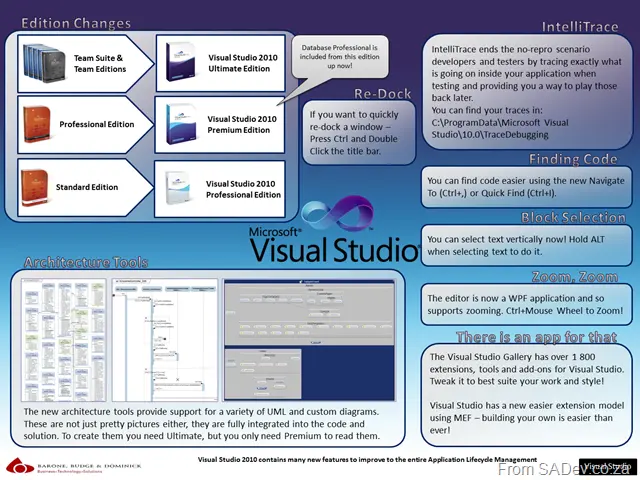
What’s New in Visual Studio 2010
A quick reference post that explains the edition changes, some new features (IntelliTrace and the architecture tools), and offers hints about the IDE (docking of windows, Ctrl+F search shortcuts, block selection, and zooming).