More in this series can be found in the introduction.
[ ]
]
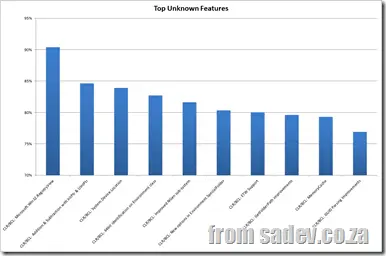
We start off with the features that people just didn’t know about. I measured this on a percentage, i.e., the percentage of people who answered that they did not know about feature X.
The top 10 features in the dark are:
CLR/BCL: Microsoft.Win32.RegistryView
Percentage of People That Didn’t Know (PPDK): 90%
Introduction: On the 64-bit version of Windows, portions of the registry are stored separately for 32-bit and 64-bit applications. There is a 32-bit view for 32-bit applications and a 64-bit view for 64-bit applications.
Thoughts: If you just write to or read from the registry in your application, you do not need to specify this. This means this feature is really only needed by people opening registry values for Windows or other applications—a very specific usage—so I’m not surprised by this finding.
More detail: http://msdn.microsoft.com/en-us/library/microsoft.win32.registryview.aspx
| CLR/BCL: Addition & Subtraction with IntPtr & UIntPtr |
|---|
PPDK: 85%
Introduction: Adds an offset to the value of a pointer.
Thoughts: I can’t think of a scenario for the usage of this that most business application developers would care about—maybe it is useful for interop or game development. So, not surprising it’s very unknown.
More detail: http://msdn.microsoft.com/en-us/library/system.intptr.op_addition.aspx
| CLR/BCL: System.Device.Location |
|---|
PPDK: 84%
Introduction: Allows you to talk to GPS sensors that Windows 7 supports.
Thoughts: Most Windows 7 machines—laptops, desktops, etc.—do not have a built-in GPS yet, so it’s not surprising this isn’t well known. It’s a pity since it’s an awesome feature to include in applications and can work with a software GPS like GeoSense for Windows.
More detail: https://www.sadev.co.za/content/net-4-baby-steps-part-x-location-location-location
| CLR/BCL: 64-bit identification on the Environment class |
|---|
PPDK: 83%
Introduction: There are two new Boolean properties on System.Environment, one indicating if the OS is 64-bit and one indicating if the process is 64-bit.
Thoughts: Not sure why this isn’t better known—maybe people just don’t care about 64-bit vs. 32-bit, or maybe they’re not optimizing for the operating system.
More detail: https://www.sadev.co.za/content/net-4-baby-steps-part-xiii-tiny-steps
| CLR/BCL: Improved NGen subsystem |
|---|
PPDK: 82%
Introduction: NGen is the subsystem (or command line) that compiles your assemblies from IL to machine code, which can result in startup performance improvements.
Thoughts: This is a very specialized system, and I’ve never seen anyone except Microsoft use it. So, not surprised at all that people don’t know about it.
More detail: http://blogs.msdn.com/b/clrcodegeneration/archive/2009/05/03/improvements-to-ngen-in-.net-framework-4.aspx
| CLR/BCL: New options in Environment.SpecialFolder |
|---|
PPDK: 80%
Introduction: This is used to help find the path to those special folders (think My Documents, which changes from profile to profile, for example) and is used in conjunction with GetFolderPath (see below).
Thoughts: There are 25 new options, and some are just useless (Windows and Fonts, for example: if you know the System drive, they are always <system drive>:\Windows and <system drive>:\Windows\Fonts, respectively, since Windows has to be installed to a folder called Windows). But many others are very good and useful, especially the x86-specific folders if you’re on a x64 OS and support for new Windows 7 features, like common folders.
So why it’s so unknown is beyond me—this is good stuff!
More detail: https://www.sadev.co.za/content/net-4-baby-steps-part-xi-special-folders
PPDK: 80%
Introduction: ETW (Event Tracing for Windows) is a feature of Windows for doing logging at the kernel level. It’s brilliant, as you can log thousands of messages per second with very low CPU usage. With .NET 4, we have support for this in our applications and support to log information from the framework, like garbage collections.
Thoughts: Even though this is brilliant and powerful, logging is a solved problem. So this is really only used or needed by people with some massive performance issues, and I don’t believe most developers are working on solutions at that scale.
More detail: http://naveensrinivasan.com/2010/03/17/using-clr-4-0-event-tracing-for-windows-etw-along-with-application-etw/
| CLR/BCL: GetFolderPath improvements |
|---|
PPDK: 80%
Introduction: GetFolderPath is used with Environment.SpecialFolder (above), and the improvements allow for creating the folder and controlling verification if the folder is created.
Thoughts: The GetFolderPath additions are a new overload, so if you were using it prior to .NET 4, it may look exactly the same. This could just be a discoverability issue.
More detail: https://www.sadev.co.za/content/net-4-baby-steps-part-xi-special-folders
PPDK: 79%
Introduction: MemoryCache is a per-process in-memory cache for your application, which is very easy to use regardless of application type. There is also some low-level plumbing that makes it possible to have the cache stored in other locations, like files or SQL.
Thoughts: WHAT THE HELL, PEOPLE?! Don’t you people use caching?! I don’t get this at all—not even slightly. If you have an idea why this is so unknown, please share in the comments.
More detail: https://www.sadev.co.za/content/net-baby-steps-part-vii-caching
| CLR/BCL: GUID Parsing Improvements |
|---|
[ ] PPDK: 77%
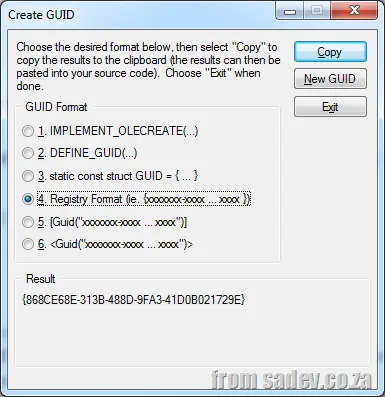
Introduction: This is a way to parse a string into a GUID, regardless of the format of the GUID.
Thoughts: I just don’t think people need to do parsing of GUIDs that much, so it isn’t needed that often.
More detail: http://msdn.microsoft.com/en-us/library/system.guid.parse.aspx
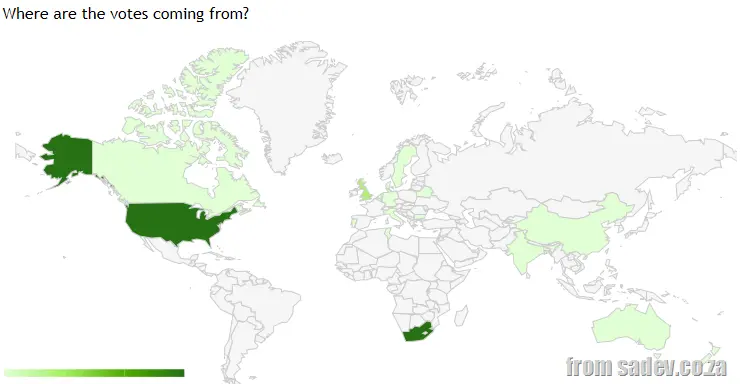
 As part of my work ahead of Microsoft Tech·Ed Africa 2011, I did an online, anonymous poll to see how well known the new features in .NET 4 are—and over the next few days, I thought I would share my findings.
The poll asked you to state, for feature X: Do you know it? And if you do know it, is it a useful feature?
I listed 61 features that are new in .NET 4—which pretty much covered its length and breadth. There is some consolidation: All of Workflow is one item, but WF4 is a rewrite, so it’s one BIG new feature, with some other aspects of consolidation.
I suspected a fairly high rate of known features because .NET 4 was released 16 months ago (12 April 2010) and has been demoed and talked about a lot—even I have done talks on the new features. However, the ratio of unknown to known is 1.2:1, so while there is close parity, there are more unknown than known features—which surprised me a bit.
I’ve broken up the results into a series because I wanted to discuss each feature briefly; a single post would have been MASSIVE.
Below are links to the other parts of the series:
Finally, I want to say a BIG thanks to everyone who answered and those who shared links on social networks and with friends!
The raw data can be found below.
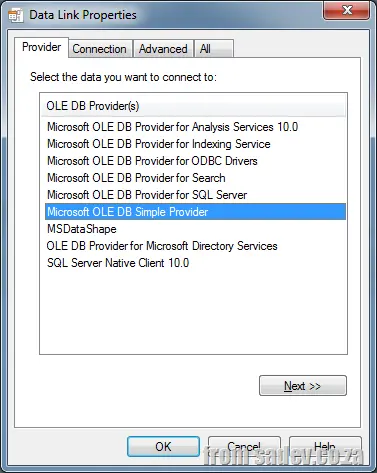
[Datalink properties dialog
Microsoft has announced that OLE DB with regard to SQL Server has entered the end of its life—it has about 7 or 8 years left, and "Denali", the next version of SQL Server, will be the last version to support it. The recommendation is to use ODBC going forward.
The reasoning is pretty sound to me:
- Better cross-platform support—yes, Microsoft cares about cross-platform compatibility.
- Better cloud support—No surprise that Microsoft cares about the cloud.
- I am also assuming budget is part of this: providing OLE DB and ODBC requires two dev teams, two test suites, etc. It just doesn’t make sense. Rather consolidate and spend the savings elsewhere.
It is important to note that other OLE DB providers and OLE DB itself are still continuing—we are just talking about SQL Server.
Have a look at the picture to the right: only two out of seven are affected by this announcement, which means there is still a big investment in it. I doubt we will see OLE DB going away completely anytime soon.
Microsoft has produced a helpful guide to migrating, which you can find below.
William Brander responded to my last nugget on compiler optimization with a tweet about another one:
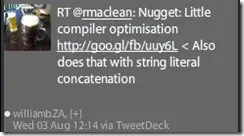
So what does that look like? Let’s examine the code we type:
string interesting = "first";
interesting += " second";
interesting += " third" + " forth";
interesting = interesting + " fifth";
interesting = interesting + " sixth" + " seventh";
Console.WriteLine(interesting);
And this optimizes the concatenation to a single line and drops the variable. Interesting use of braces—well, the reversion from += to =—for fifth and sixth though.
Console.WriteLine(("first" + " second" + " third" + " forth") + " fifth" + " sixth" + " seventh");
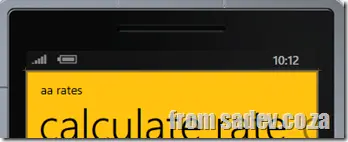
In Windows Phone 7, there is an option to show a small strip at the top of your application that displays the time, battery level, and signal strength. This is called the System Tray.
My suggestion for professional applications is that you should display that System Tray. Full-screen games and media viewers are excluded, but most utility-like applications should include it.
My reasoning is twofold:
- If your users are spending time in your application, they may need to check their battery or the time. Having it available keeps them within your app and prevents frustration from toggling back and forth (glance and go!).
- If your application requires an internet connection, and it fails, you must inform the user. Internet connection failures often stem from poor signal or a hotspot issue. Without a System Tray, users must exit the app to check these details. Again, the glance and go principle!
It takes up just a few pixels, but your users will appreciate its presence!
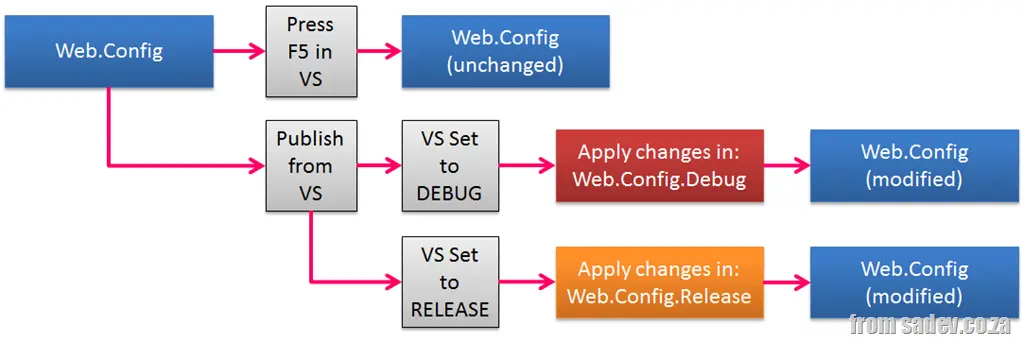
Last year in May, I spoke at DevDays Durban about what’s new in ASP.NET 4. One of the highlights of that talk was a feature called Web.Config transforms. In short, you have a base web.config and then a file per compiler target (e.g., RELEASE, DEBUG). These extra files contain rules on how to transform your web.config when it is published.
For example, you might have your web.config set up to use your local SQL Server when in Visual Studio, but when you publish a DEBUG build to testing, it changes the config to use the test SQL Server. Or when you publish to production, it turns off a bunch of logging and shows friendly error messages.
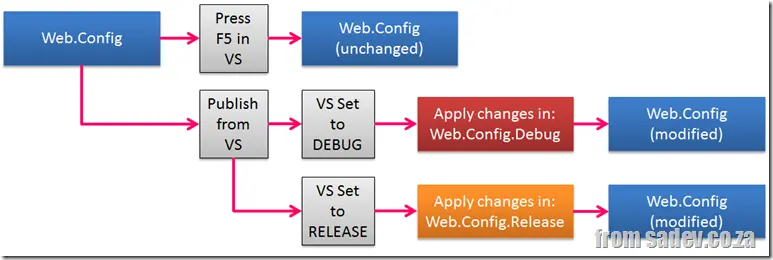
There are two caveats in this process:
- It only works for ASP.NET projects, as this is something the ASP.NET team built into their publishing tool support.
- It only works for publishing—if you have an ASP.NET project and hit F5, nothing happens. 🙁
(Note: ASP.NET here refers to ASP.NET Core and systems built on top of it—like WebForms, MVC, and WebPages—all get this feature.)
This is something we need in every project type, and we need it with F5. Thankfully, some bright people solved this for us with the VS add-in Slow Cheetah.
Now, you get the full experience on any project type, plus a brilliant feature missing in the ASP.NET version—preview. You can see what the resulting config will look like!
The guidelines for WP7 state your application must start within 3 seconds—so many applications include a splash screen to show the user while the rest of the application loads. The splash screen is included by default, so you may think you must include it (I did think this too), but the truth is, you don’t need to.
If you can (i.e., your application loads under 3 seconds), then you should drop it, as it will allow your application to start quicker (about 2 seconds faster, in fact). This means your users can get into your application quicker—and that will make them happier!
 Last year, I wrote (finding the best talks at Tech·Ed which really aimed to help improve your Tech·Ed Africa experience. It is still relevant this year, but I thought of one new tip to share—and it’s related to travel.
Short version:
Book your inbound flight early, your outbound flight late, and stay at the Hilton.
Why inbound early?
Day 1 is a busy day for you—after you land, you need to find the shuttle from the airport to the conference venue. Last year, I got separated from the group and got lost in the airport 😵💫. Once you’re at the conference venue, register and get your swag (do this before heading to your hotel), then find the bus to reach your hotel. If you follow the tip below about the Hilton, this is easy; otherwise, you may have a small wait. Once at your hotel, check in, sort out your stuff, see what the swag is—and finally, find the bus (wait) and get back to the venue for the keynote and opening party. In short—it’s a very busy day, so having an extra hour or two helps.
For speakers, there’s also the advantage of using that extra hour or two to do a quick tech check the day before and help calm those nerves.
Why outbound late?
The last day ends with the closing keynote, and those can run long—I’ve seen people run for the buses and have to drag their luggage because of time constraints. Plus, when you reach the first few buses, there’s a fight for space! It really messes with your last day, so take a later flight—this means you won’t need to fight for seats or rush around.
Why the Hilton?

The Hilton in Durban is the best place to stay, as it’s right next door to the ICC where Tech·Ed is held. In fact, the picture to the left—its bottom-left corner—is the ICC. You don’t even need to cross a road!
This means:
- Getting up later
- Staying out later (Hilton’s bar is famous for after-parties)
- Being where all the Microsoft staff, media, and presenters are (great for informal discussions in the elevator)
- A top-end experience overall
Big issue: It sells out fast, so book now!
Follow these travel tips, and you’ll be on your way to a great Tech·Ed!
In Windows Phone 7, there are two ways to store values: State and IsolatedStorageSettings, which have their various pros and cons. I prefer to use IsolatedStorageSettings for most scenarios, but this tip applies to both, so when you see the code referring to one, it will work on both.
Very simply, the first setting you should store is one called version (or similar), and it should have a version indicator. In short, it tells you what version of the settings you are working with!
IsolatedStorageSettings.ApplicationSettings["version"] = "1";
Having this field has two advantages for you. First, it gives you a very simple way to check if settings are available—and if not, your app is running for the first time:
if (IsolatedStorageSettings.ApplicationSettings.Contains("version"))
{
}
The other advantage is that when you update your application, you can upgrade settings easily.
if (IsolatedStorageSettings.ApplicationSettings.Contains("version"))
{
switch ((int)IsolatedStorageSettings.ApplicationSettings["version"])
{
case 1:
break;
case 2:
break;
}
}
Even if you never use it for upgrades, at least it’s there for a simple check. And if one day you need it—you’re ready to go!

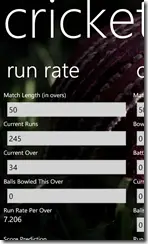
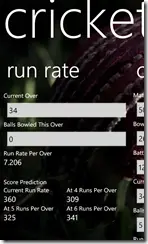
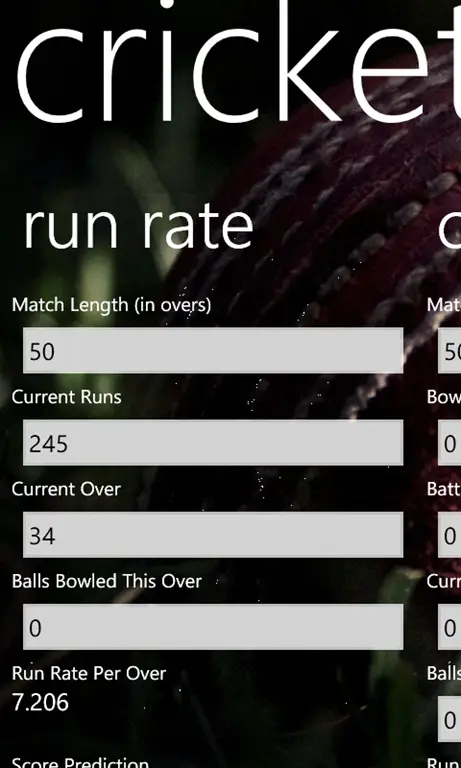
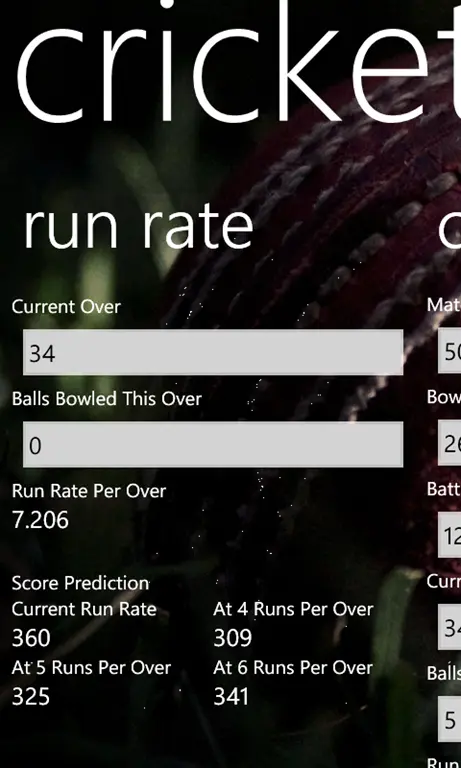
This is another calculator-style tool that allows you to work out cricket run rates, project scores at the current run rate, and also project scores if the run rate changes to 4, 5, or 6 runs per over.
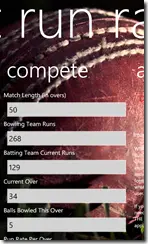
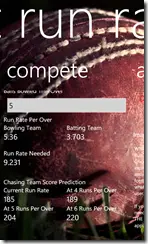
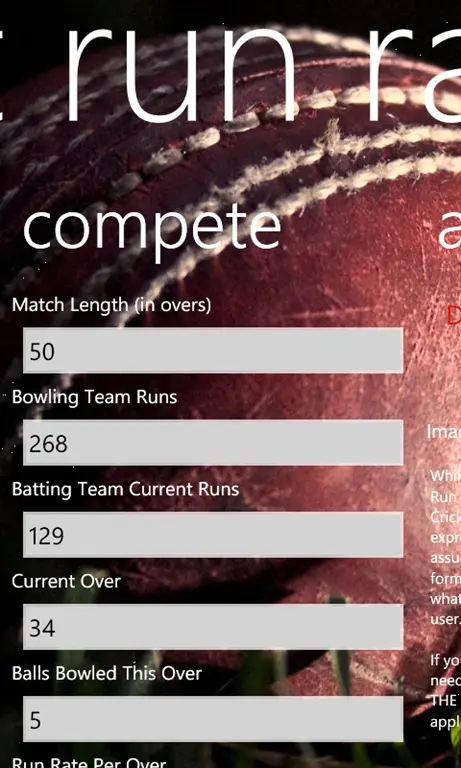
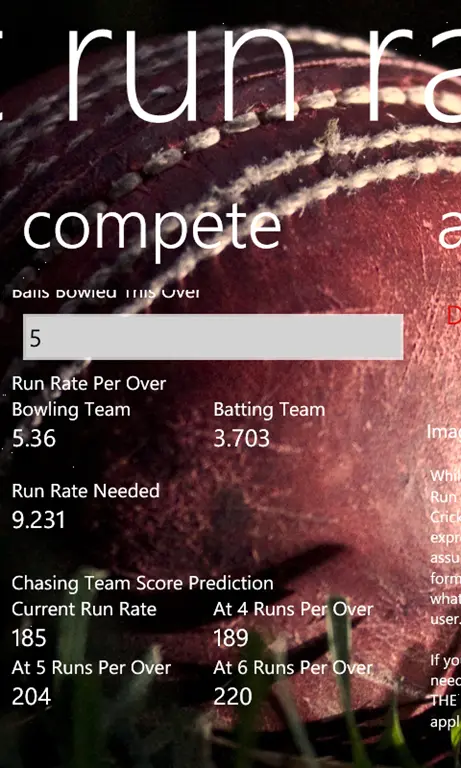
The second screen is the completion screen, which lets you input the score of the first batting side and then see whether the chasing team is at, above, or below the required run rate to catch them—and what run rate is needed!
It’s a very nice, simple tool to have in your toolbox for cricket fans!