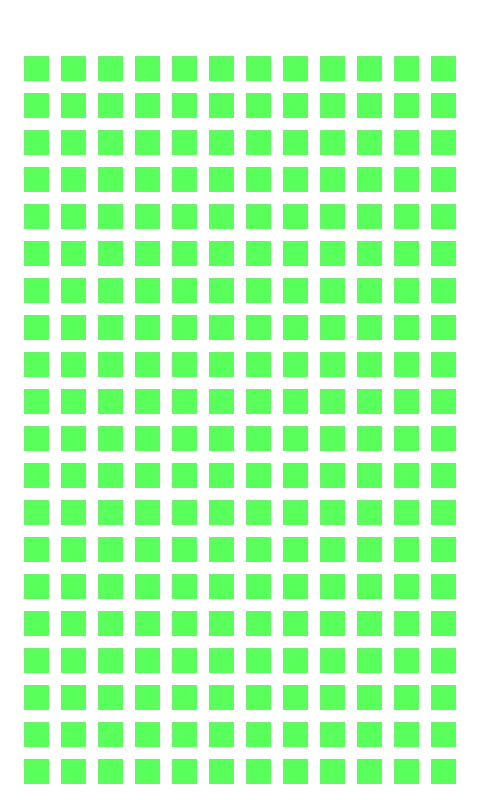
Arturo Toledo works at Microsoft on the Windows Phone Design Studio team, and last week I had the chance to attend phone training with him. In that training, he showed a grid he used for layout so that his apps match the layout of Windows Phone 7 apps—I call this the Arturo Grid.
Yesterday, he posted about it and released an Expression Design version of it, which is great if you have Expression Design… but if you don’t, it can be a problem. So I recreated it using the free graphics tool, The GIMP, and produced a transparent PNG version so that it can work in just about anything!
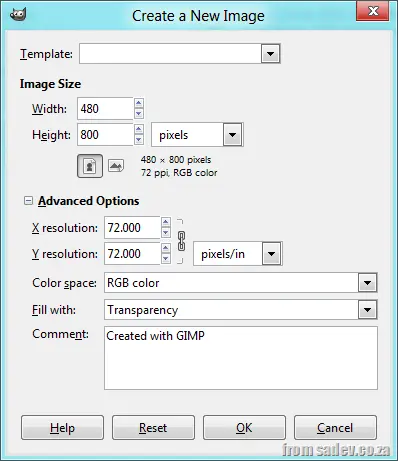
GIMP is a fantastic tool, and I thought I would share how I created this layout. First, I started with a new image with a resolution of 480 × 800 and a transparent background.
[]
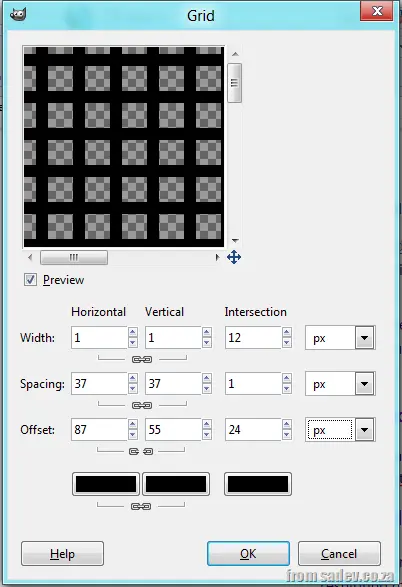
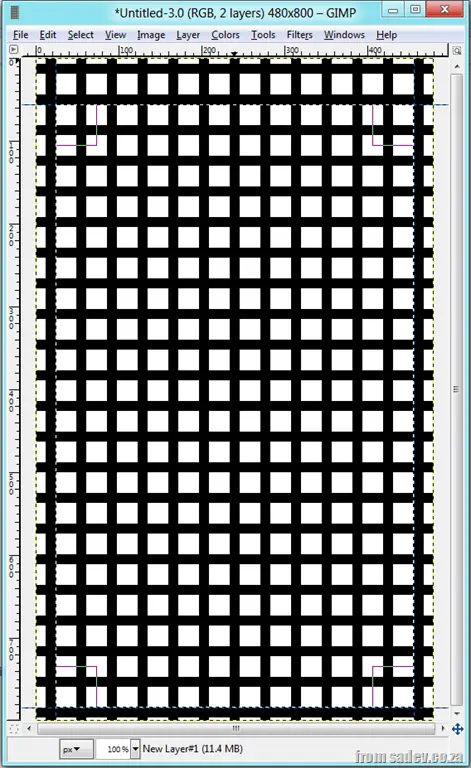
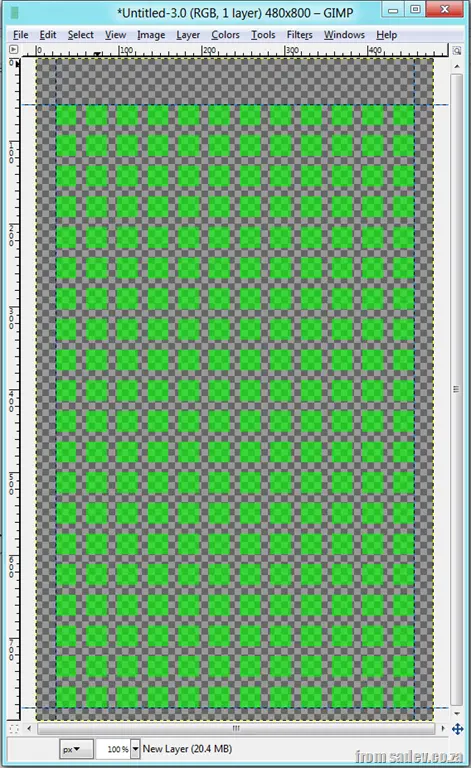
Next, go to Filters ► Render ► Pattern ► Grid, and set the parameters as in the screenshot below. Note that the offset horizontal & vertical lines are not linked. What we are doing here is creating grids of 37 × 37 (25 + 12, based on the Arturo Grid) with a line width of 12 (so the space left is 25 × 25). The offset is +6 so that it pushes out because the line widths are based on the middle of the line and not the edge.
[]
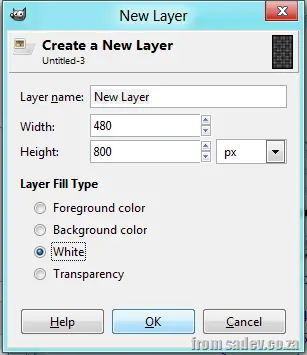
Now add two layers: another transparent one and a white-backed layer.
[]
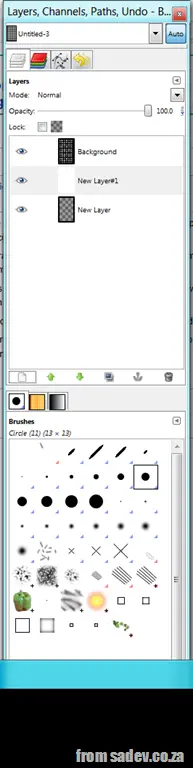
Place the new transparent layer at the bottom and the white layer second.
[]
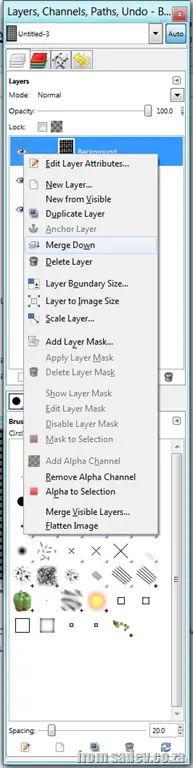
Now merge the grid layer down onto the white layer.
[]
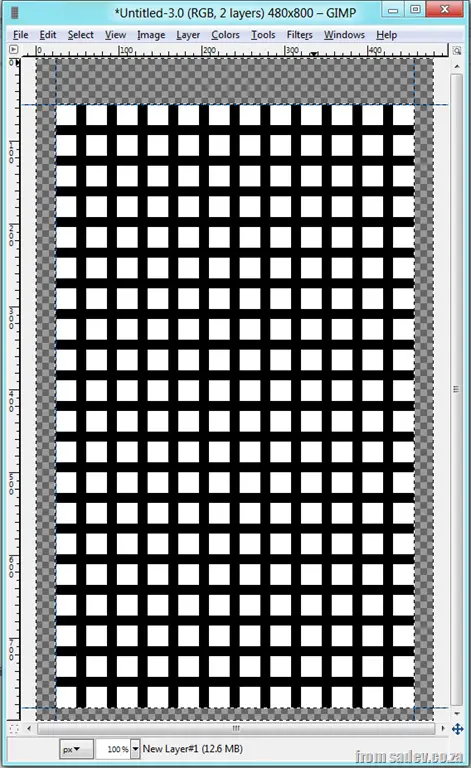
Next, drag on guides:
Vertical: 24px
Vertical: 456px
Horizontal: 56px
Horizontal: 784px
and select that region.
[]
Now, select Select ► Invert and press Delete. This removes the area around the grid for the bleed (padding) area that your app shouldn’t use.
[]
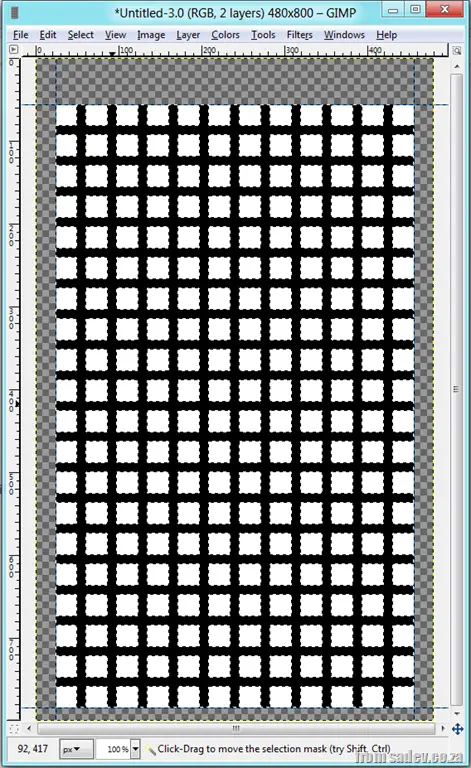
Now use the Fuzzy Select Tool (aka the magic wand selector tool) and click on the black.
[]
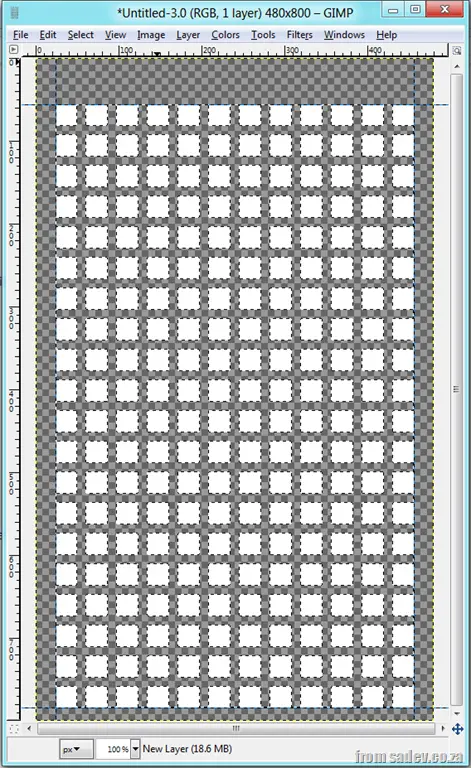
Now press Delete to remove those black lines, leaving just the white squares.
[]
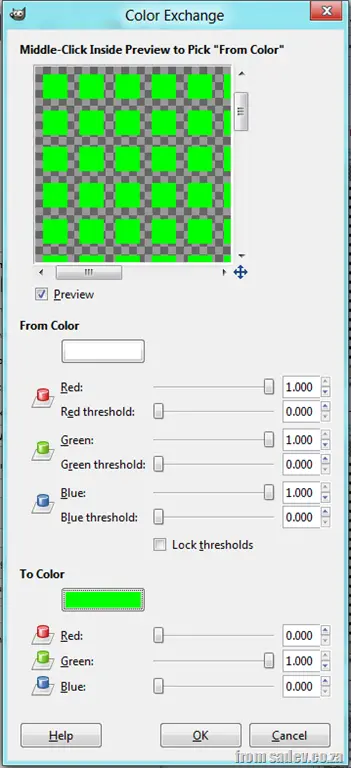
You can tweak the colors using the Colors ► Map Color ► Exchange tool, and you can tweak the transparency using the Opacity option on the layer tool to make it more transparent.
When you want to make sure something is dead (finished), you shoot it twice—also known as a double tap. Windows Phone 7 supports this too… for sentences.
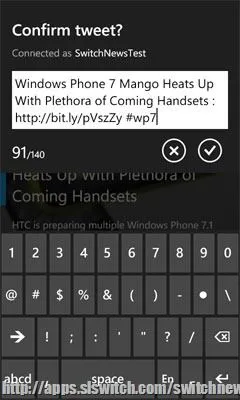
When typing, double tap the Space key, and it will insert a full stop and a space!
Considering the size of the Space key and how easy it is to double-tap it, rather than find the smaller dot key and move away from it, it can save you a little time.
This is just one of the many awesome UX features in the phone!
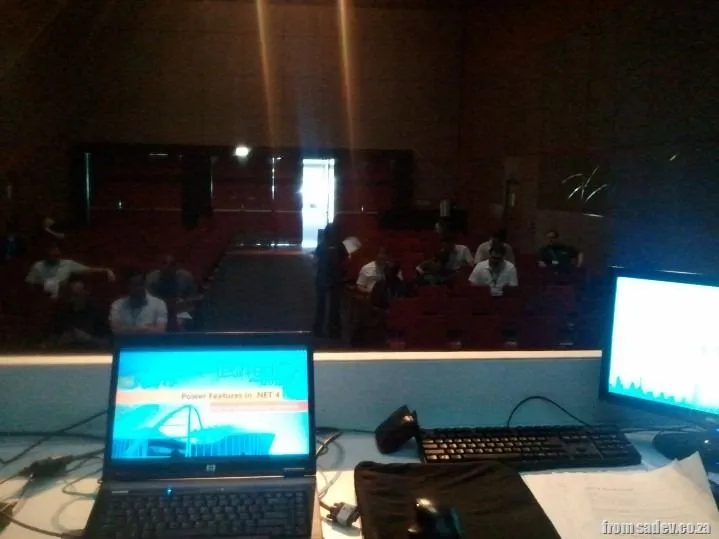
WOW! I am sitting here under a fake tree in a fake city that is Micropolis (also known as the Tech·Ed Africa 2011 expo, and it is AMAZING!). I have just finished my third and final presentation at Tech·Ed Africa 2011 and I just wanted to say THANK YOU to all the people who attended my talks!
This year, not only has the expo been amazing, but the audiences have been by far the best ever! A special thanks to those who braved 8 AM to see my .NET 4 talk—two minutes before I started, I thought, “I need sleep”, but two minutes after the energy from the audience was flowing, and I never looked back. What I felt was a great talk, so thank you! 😊
A special word of thanks to Suliman and DPE (it is their fake tree I am sitting under) for arranging this and the opportunity to present! I also want to say thanks to the technical team at the event—without them, you would not see or hear me, and they were fantastic this year!
For those who attended my talks or those who couldn’t, below are the slides, scripts, and misc files used in the talks!
(For those in an RSS reader or on the home page, click"read more")
Power features in .NET 4: Investigating the features of .NET 4 which you don’t know about
Update: This application has been retired—it was for TechEd 2011 and used the website a lot. The moment the site changed, the app would break. Its goal and use are done, so I am happy to retire it.
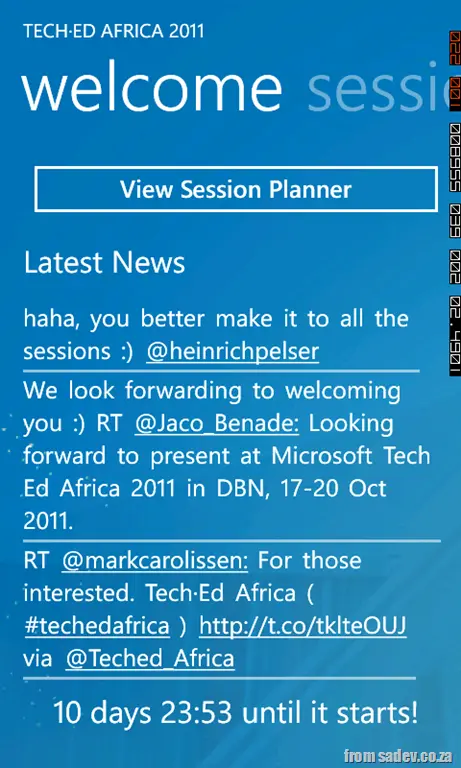
I’m very happy to announce that the 1.1 version of the Tech·Ed Africa app for Windows Phone 7 is now out with a TON of new features:
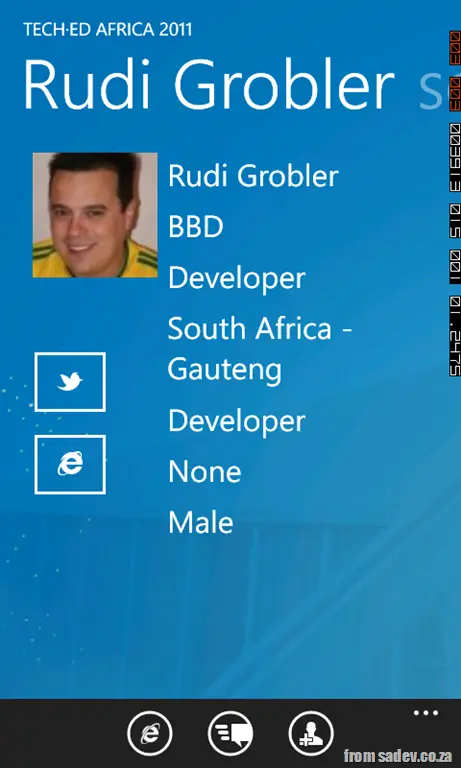
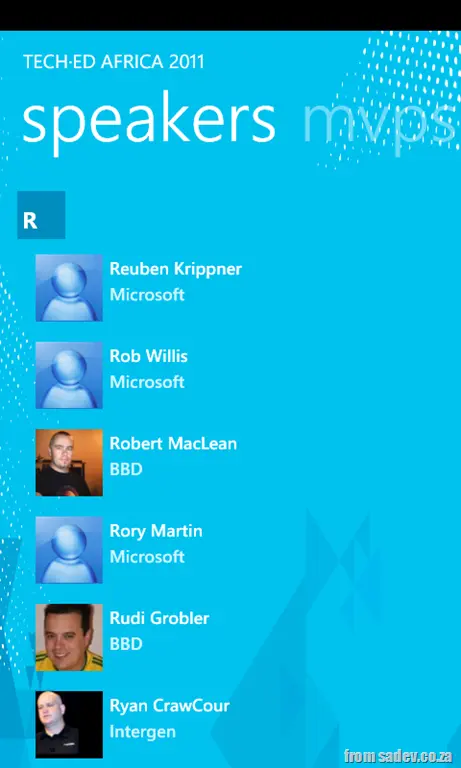
First up: dedicated in-app pages for speakers. This means no more browsing to the website for speaker info. There are also options to view their Twitter, website, etc. Since we’re not on Mango yet, it supports saving contact details to the device.
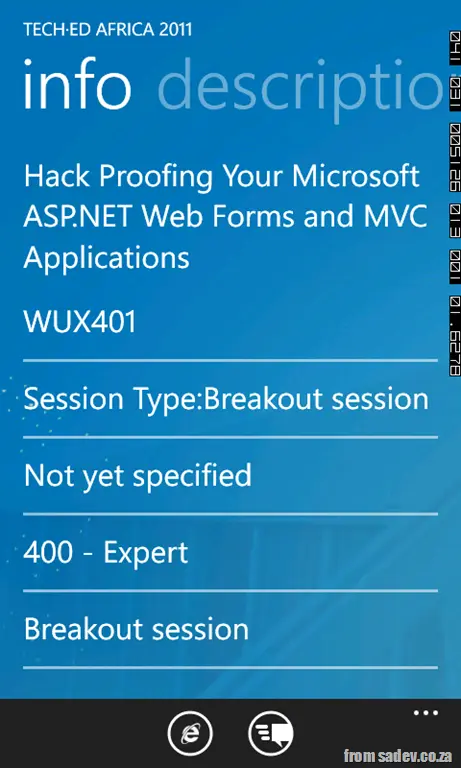
Second—and similar—are dedicated pages for the sessions too!
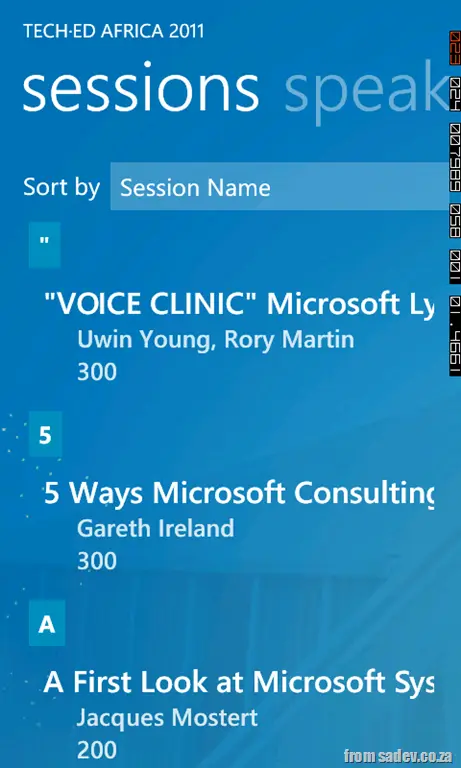
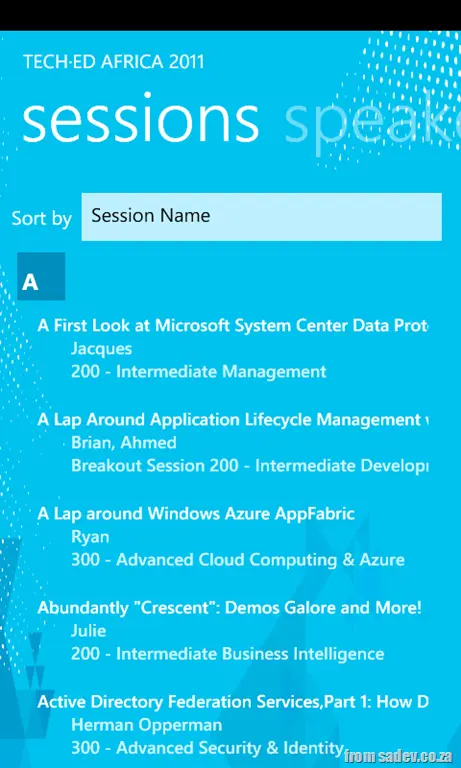
Third, the sessions list page got a major cleanup, with lots of bug fixes and options for grouping (level, audience, etc.). This should make it much easier to find session info.
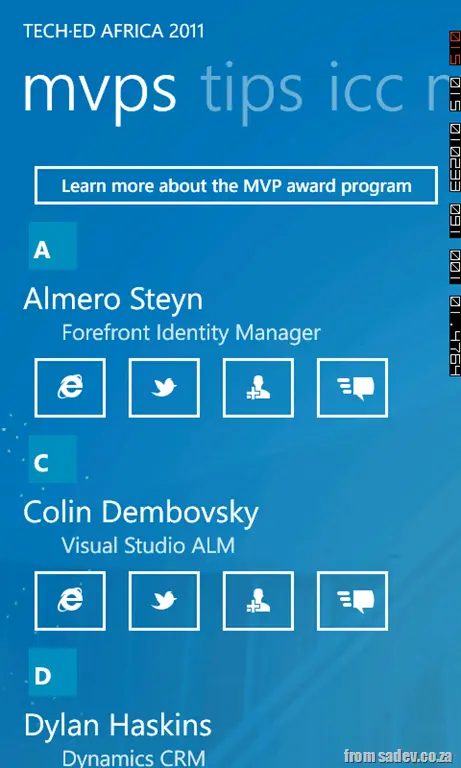
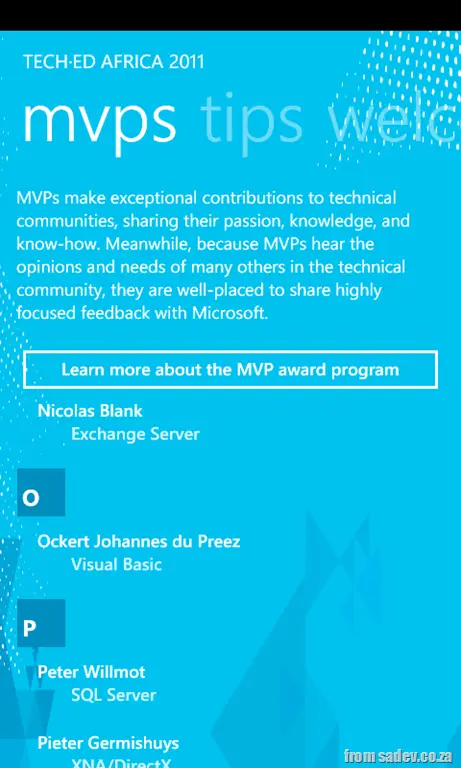
The MVP page also got a BIG facelift, with buttons for contact details for each MVP and a cleaner, bolder design. Of the whole application, I’m most proud of the UI here. I also added a community tweets page with tweets searched by hashtags!
The welcome page got a cleanup, with more focus on news tweets and the removal of the refresh option (since it refreshes automatically). This also lets you launch the BIG new feature…
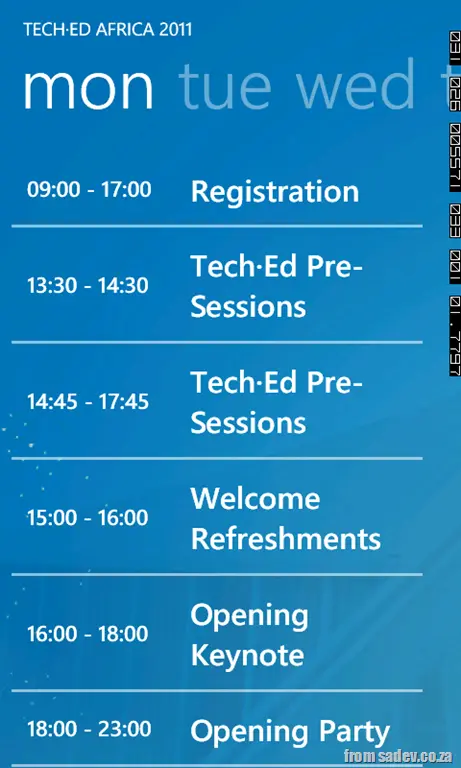
Session planner! Now you can browse and book sessions on your phone—and your phone will remind you to attend!
There are also a lot of UI tweaks:
The background was swapped to the latest Tech·Ed UI and made much darker for better contrast and readability.
I worked closely with Rudi Grobler to refine smaller UI details—a big thanks to him!
Last year I posted a Tech·Ed Africa-related post titled: How to find the gems in the sessions?, which included a slide deck from a presentation I gave at BBD for the staff attending Tech·Ed to help them prepare for the event. It was a very popular slide deck, and this year I am doing the same thing. Below is the 2011 survival guide for Tech·Ed Africa!
If you're looking for more info on the slides, please download the slide deck and check the notes. There is also an Easter egg slide with interesting information for those who download it! 😉
Update: Check out the info on the 1.1 version. Update: This application has been retired—it was for TechEd 2011 and used the website a lot. The moment the site changed, the app would break. Its goal and use are done, so I am happy to retire it.
I am passionate about Microsoft Tech·Ed Africa—not because I’m a speaker there (and have been many times in the past) but because it is an awesome event. Now in this mobile world, every awesome event needs an equally awesome mobile app. Since Microsoft isn’t releasing one for Tech·Ed, I decided to put my skills to use and build a Windows Phone 7 app for the event 😊
This app is a little different from my other apps—as I didn’t have the data, and it is a constantly moving target—I am doing some very smart (and maybe a little sneaky) things to get the content from the www.teched.co.za website!
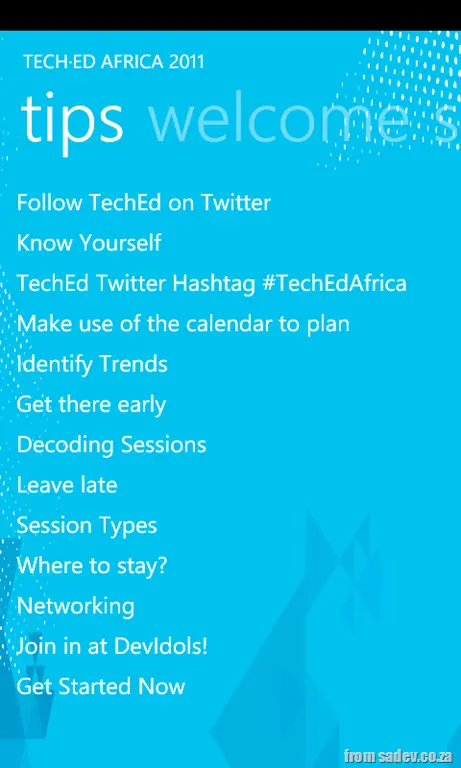
Version 1 allows you to browse sessions, speakers, get pro tips, see who the awesome MVP’s are, and get official news!
I am working on version 1.1, which includes community tweets, proper speaker and session pages, and will update with more info as it is released—so keep an eye on those updates!
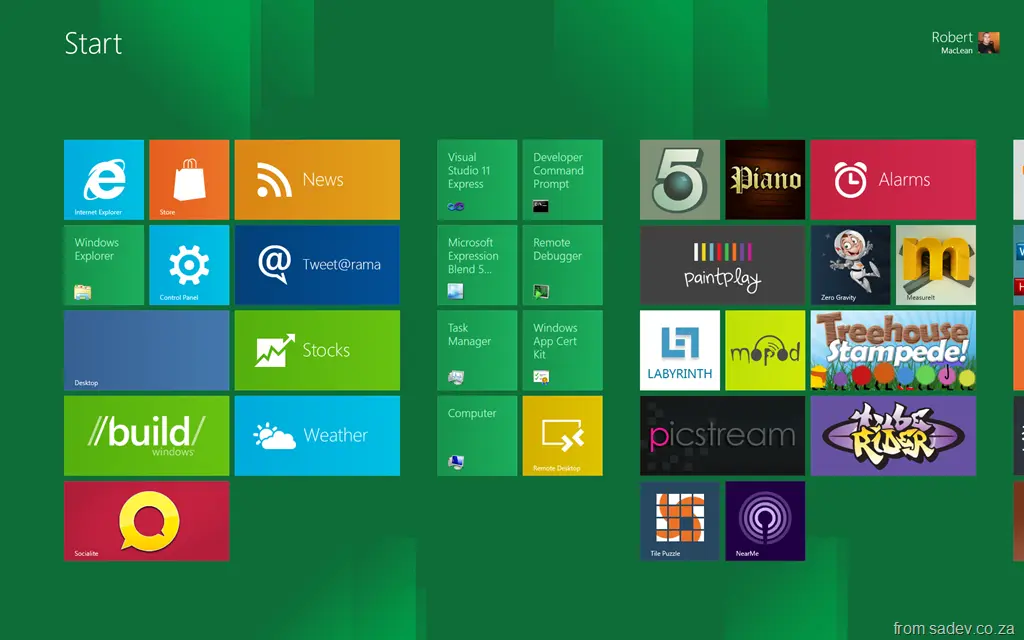
Note: This relates to the Windows 8 Developer Preview. Your mileage may vary, and this may change.
Updated: 20 September 2011 — included four new shortcuts!
New in Windows 8
Win: In Start page, toggles between the last app and the start page. For example, if you have Weather open, it will toggle between that and the start page. In desktop mode, it jumps to the start page.
Win+Z: (NEW) Brings up the UI for the Metro-style application. For the browser, this brings up the address bar and tabs; on Copper, it brings up the in-game menu. Very useful. Some apps also support this on right-click.
Win+PgDn or Win+PgUp: (NEW) Toggles the "main" screen when you have multiple monitors, like clicking the white monitor icon. Very useful to toggle the location of the Start page.
The white monitor icon:
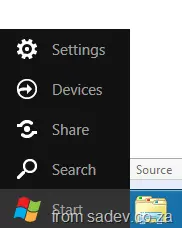
Win+C: Brings up the clock and Start menu:
&
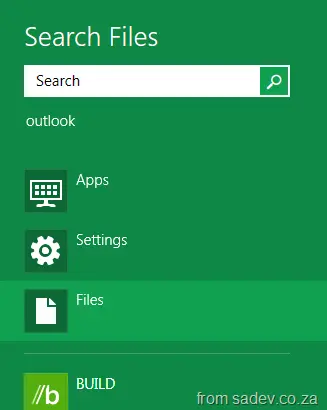
Win+F: Brings up the Start file search. This is very useful for quickly finding an app:
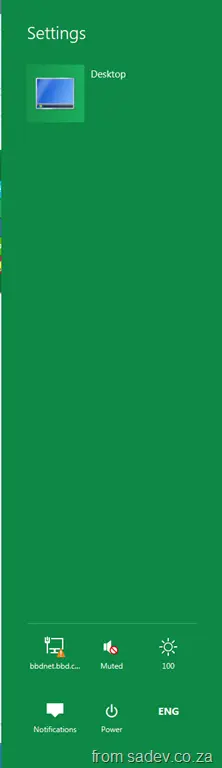
Win+I: Brings up the settings pane (the bar on the right-hand side for settings) for the current application:
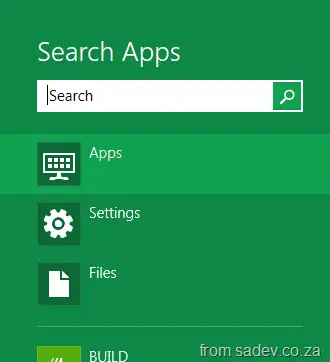
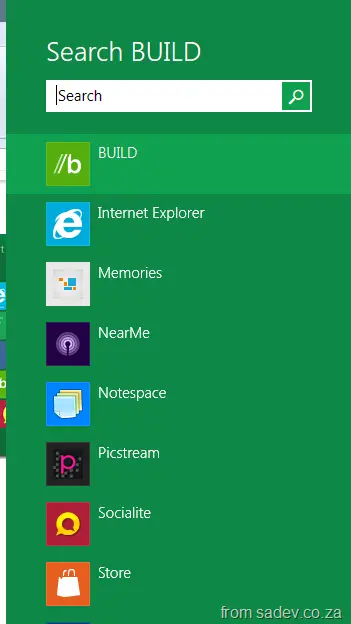
Win+Q: Brings up contextual search. For example, in desktop mode, you get BUILD search; on the Start page, it brings up app search:
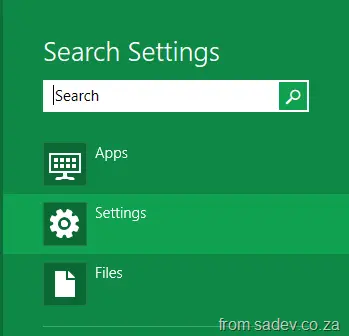
Win+W: Brings up the settings search:
Other ones – most from Windows 7 (still functional)
Win+B: Focuses the system tray. If you’re on the Start page, you’re taken to desktop mode. -
Win+D or Win+M: Minimizes to desktop — if you’re on the Start page, you’ll be taken to desktop mode.
Win+E: Launches Explorer — if you’re on the Start page, you’ll be taken to desktop mode.
Win+L: Locks your screen.
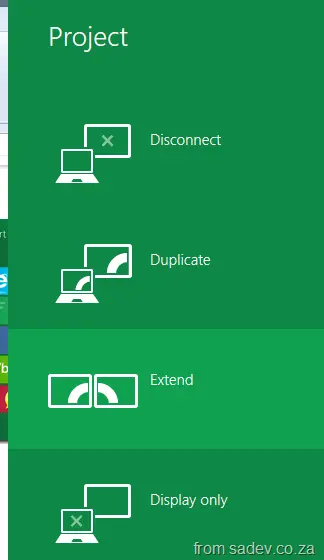
Win+P: Brings up multi-monitor options. Requires two or more monitors plus drivers that support it:
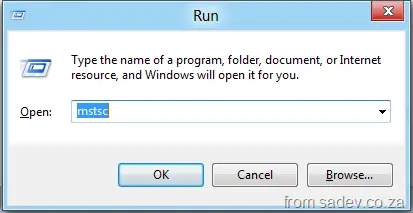
Win+R: Run dialog:
Win+T: Focuses the taskbar. If you’re on the Start page, you’re taken to desktop mode.
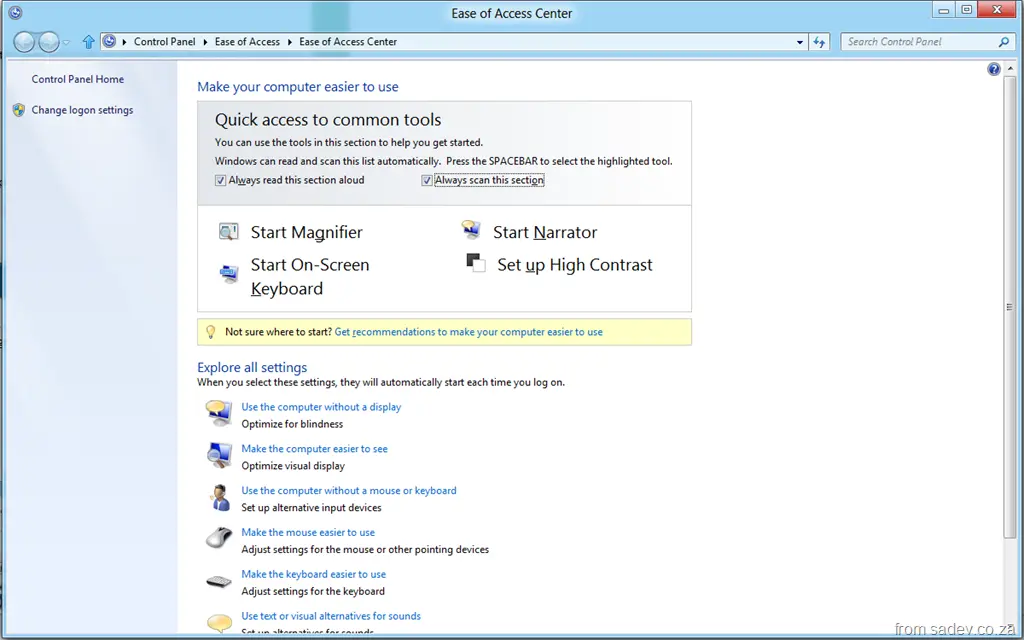
Win+U: Brings up Ease of Access options:
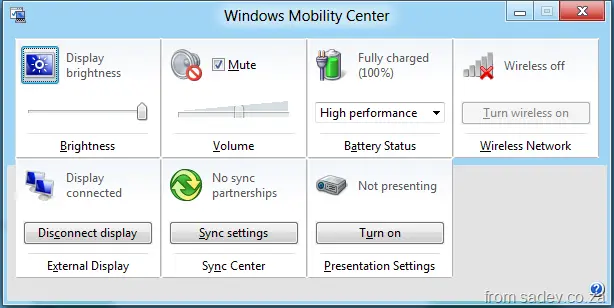
Win+X: Brings up the Mobility Center:
Win+Y: Performs an Aero Peek of the desktop.
Win+Number: Launches the app in that taskbar position (e.g., Win+1 launches IE, Win+2 launches Explorer, Win+3 launches Chrome, etc.):
Win+Home: (NEW) Minimizes everything except the current app — very useful in multi-monitor setups. Keep hitting it to cycle windows.
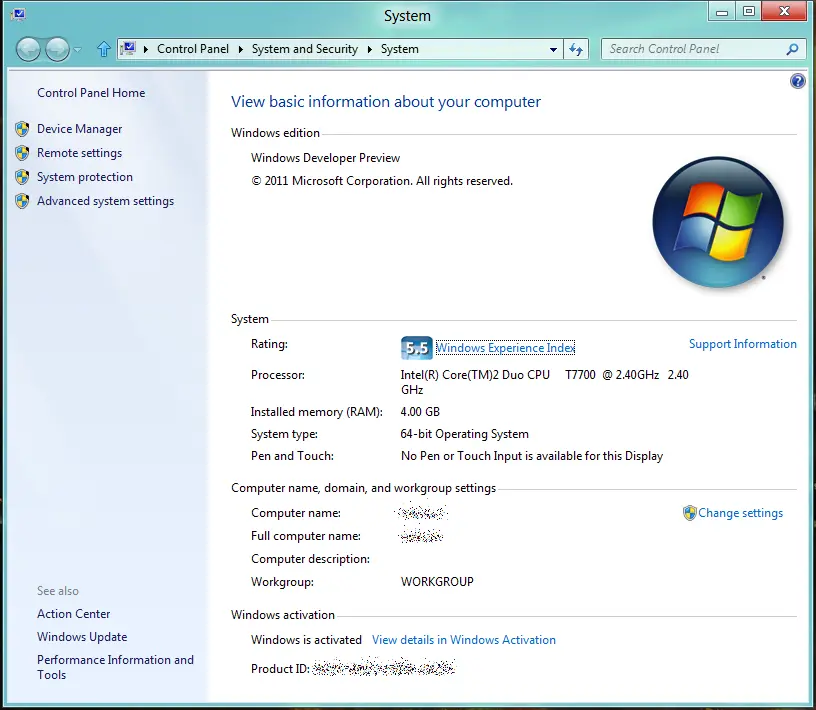
Win+Pause: Brings up the system properties dialog:
I was communicating with someone over email recently, and they assumed that I worked for or at Microsoft. When questioned why they thought that—this wasn’t a technical email or any other factor—they pointed out my email signature (highlighted in the image), where it mentions that I am a Microsoft MVP and a Microsoft Ranger.
If you aren’t in the Microsoft ecosystem, I can see how you might assume that means I am an employee. So let’s clear this up:
I AM NOT A MICROSOFT EMPLOYEE. What I say cannot and should not be assumed to be related to, endorsed by, or sanctioned by Microsoft.
So what are those two things in my email signature?
Microsoft MVP: This is an award from Microsoft for service to the community. You can read more about it here.
Microsoft Ranger: This is a team of Microsoft staff and external people that work together to produce content and tools to help people. I have worked with Microsoft and even at their offices, but not as an employee. You can read more about the Rangers here.
More in this series can be found in the introduction.
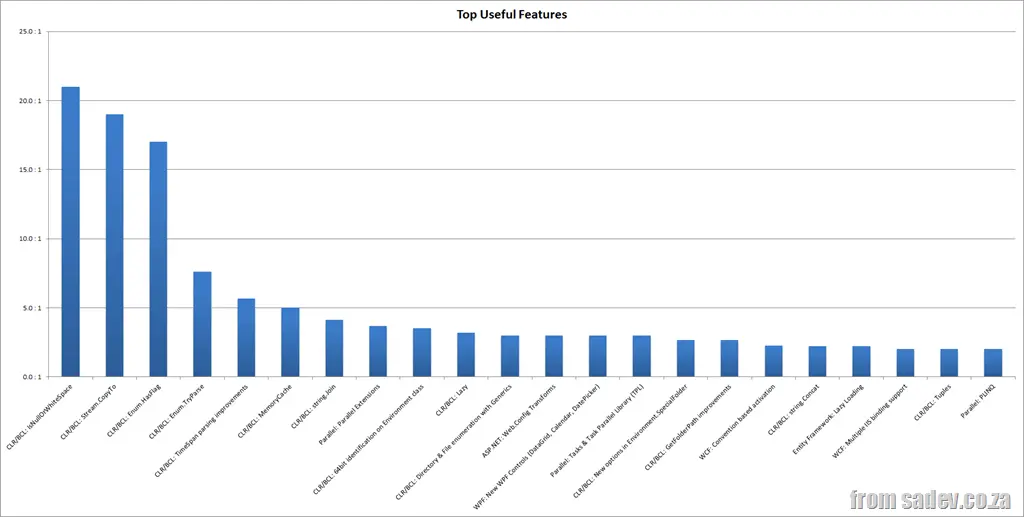
In the past two posts, we’ve looked at the negative (top 10 least known, top 12 most useless), so let’s switch to the positive side and see what’s on the list for the top 10 most useful features.
This is worked out by those who knew the feature and indicated it was useful, using the same ratio as explained in the top 12 most useless post.
CLR/BCL: IsNullOrWhiteSpace
Useful Ratio: 21 : 1
Introduction: We’ve had IsNullOrEmpty on strings for a while, but in .NET 4, we now have the added IsNullOrWhiteSpace, which checks for nulls, empty strings, or strings composed solely of whitespace.
Thoughts: It’s easy to see why this is useful—it covers more scenarios than the old one, is easily discoverable, and solves a tricky problem (I don’t think many people understand all the whitespace characters).
Introduction: You have two streams, and you want to copy from one to another. Previously, this took 6 lines of code, a loop, and 3 variables—now it’s just one line and always works.
Thoughts: A common problem with a great solution, and it’s easily discoverable because the method name is exactly what you’d be looking for.
Introduction: Enums have supported bitwise operations, but doing so previously involved a fairly unintuitive calculation. I suspect many developers didn’t even realize bitwise operations were supported. Now, we have a single method that makes it very easy.
Thoughts: Making the hard easy—and making it very discoverable—are hallmarks of these top useful functions!
Introduction: Converting a string to an enum has always been possible, but never a seamless experience. There was no support for generics, and handling bad data wasn’t straightforward. TryParse fixes those issues by introducing generics and providing a clear success/failure response.
Thoughts: This is a big problem for many developers, and TryParse provides a great solution.
Introduction: Parsing strings into TimeSpan objects has always been tricky—there are many ways to format time ranges, and developers struggled to get it right… until .NET 4!
Thoughts: I’m surprised this ranks so highly, as I don’t think many business systems rely on TimeSpan. However, Mark Stacey on Twitter shared some compelling use cases I hadn’t considered (Tweet 1, Tweet 2):
"Absolutely. Business process stuff—loan applications, time since a call was logged, tons of others. Especially where multiple applications work in process."
Introduction:MemoryCache is a per-process in-memory cache for your application—extremely easy to use, regardless of application type. Before .NET 4, only ASP.NET had an in-memory cache. There’s also underlying support for caching to other locations (files, SQL, etc.).
Thoughts: This is one of two features on the list that also appeared in another list (top 10 unknown features). That brings me joy—it means the real issue is discoverability, because once you know it, you love it! 😊
Introduction:Join lets us concatenate an array of strings with a specific separator in one go.
Thoughts: This is very useful—there are often cases where you need to loop over strings and build another string. Think inline SQL generation with a WHERE clause!
Introduction: Writing code that leverages multiple cores hasn’t been easy, but Parallel Extensions make it intuitive by providing parallel implementations of familiar loops (for, foreach). Now, you can write multithreaded code without the complexity.
Thoughts: A fantastic addition to the framework—and a much-needed one. Multi-core machines are everywhere, but threading complexity has often made them impractical. Why this ranks higher than the other two parallel features (TPL at 14th, PLINQ at 22nd) is odd—maybe because this is the easiest of the three to understand.
Side note: This is the only one of the top 11 most useful features I didn’t cover in my .NET 4 Baby Steps series, which makes me proud—it means I was on target for that series.
CLR/BCL: 64-bit identification on Environment class
Useful Ratio: 3.5 : 1
Introduction: The Environment class has been enhanced with two new properties to help determine whether:
The OS is 64-bit, and
The process running is 64-bit.
Thoughts: This also appeared on the top 10 unknown features list, highlighting that developers either don’t think about 64-bit or, when they do, need better tooling.
Introduction:Lazy<T> lets you wrap a class (the target) in another class (Lazy<T>) to enable lazy construction of the target.
Thoughts: A nice feature, but I’m surprised it ranks this highly—I see it as a bandage for poor design. Proper patterns and planning should prevent the need for it. (But I’ve been wrong before—tell me in the comments why you find this useful!)
More in this series can be found in the introduction.
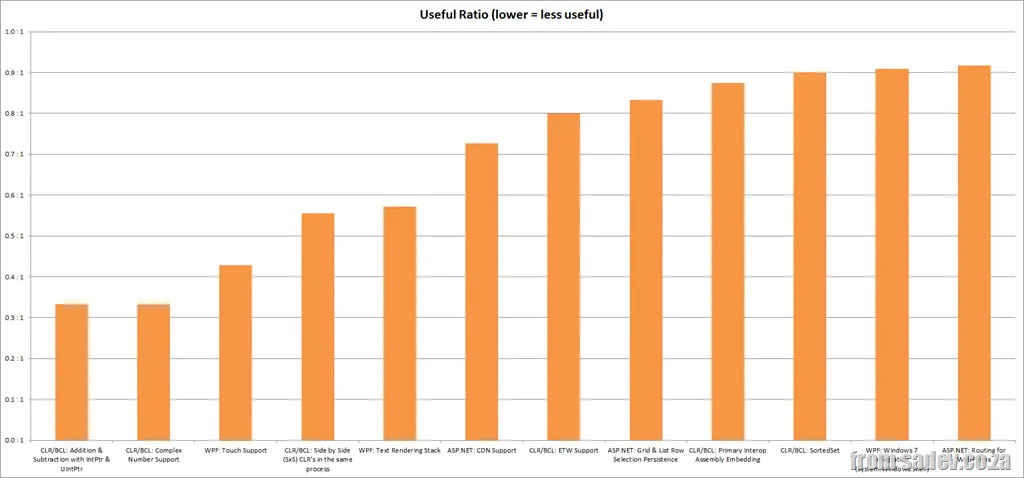
Another interesting statistic was that only 12 of the 61 features are rated useless—in other words, more people thought those features were useless than useful.
This is really good, because this really means that about 80% of the new features are seen to be useful, and thus that was a good use of resources for Microsoft.
I am measuring this in a Useful Ratio—the number of people who think it is useful compared to the number of people who think it is useless. For example:
1 : 1 – For every one person who thinks it is useful, one person thinks it is useless
2 : 1 – Two people think it is useful for every one that thinks it isn’t
0.5 : 1 – Half a person thinks a feature is useful compared to one who thinks it is useless
CLR/BCL: Addition & Subtraction with IntPtr & UIntPtr
Useful Ratio: 0.3 : 1
Introduction: Adds an offset to the value of a pointer.
Thoughts: The first feature to appear on more than one list—as it also appeared in the top 10 least known. So this brings up an interesting thought: You either don’t know of this, or you think it is shit. My views on why this is useless are the same as why it is unknown—the use case for this is tiny!
Introduction: Complex numbers are a specific mathematical concept, especially useful for doing graphs, vector calculus, and other things that are pretty specialized.
Thoughts: .NET 4 also included another new construct called Tuple, and .NET has had KeyValuePair for ages, and this seems very similar to those (from the perspective of someone without a university math background). All it provides compared to the other two are some easier math functions. So it’s easy to see why it isn’t that useful—it’s easy to implement those functions on Tuple or KeyValuePair.
Introduction: WPF now supports input from touch, so you can touch buttons and text boxes, etc.
Thoughts: This feels very similar to System.Device.Location, which is hampered by the lack of hardware that supports the feature. WPF is doubly hurt because Silverlight is competing with it and already has touch support.
| CLR/BCL: Side-by-Side (SxS) CLR’s in the Same Process |
Useful Ratio: 0.6 : 1
Introduction: Prior to .NET 4, you could not allow two different CLRs (e.g., 1.0, 1.1, or 2.0) to exist in the same process.
Thoughts: I hit this a few times with ASP.NET where two sites ran in the same AppPool, and one site was running 1.1 while the other ran 2.0, resulting in failure.
This was primarily put in place to also allow plugins built in different CLRs to run in the same application.
Besides the ASP.NET issue, I haven’t seen a need for this—it really feels like plumbing for future applications.
Update: Mike posted in the comments a great use case I didn’t think of, which adds more value for this feature.
Introduction: WPF previously rendered text differently from how Windows did, which is where the perception of blurriness comes from. As part of Visual Studio 2010, they used WPF and spent considerable time improving text rendering.
Thoughts: I don’t get this—it means WPF looks better now, and it costs nothing. Maybe the issue is that since it costs nothing, people don’t see the value?
Introduction: Microsoft has a large content delivery network containing many scripts that websites use, like jQuery. Using a CDN can significantly improve the performance of your website.
Thoughts: Reasons why people might not like this:
Internal-only applications cannot benefit from this.
People prefer other CDNs—as there are a few big ones now.
People don’t trust CDNs.
If you can use this, you should—it’s a simple switch to turn on.
Introduction: ETW, Event Tracing for Windows, is a feature of Windows for doing logging at the kernel level. It is brilliant because you can log thousands of messages per second with very low CPU usage. With .NET 4, we have CLR support for this, making it easier to understand what is happening in the CLR alongside our applications.
Thoughts: We have been able to write to ETW since .NET 3.0—all this is is support for CLR events, so really, you need to be debugging performance issues in the CLR.
Introduction: PIA (Primary Interop Assembly) mappings between COM+ APIs and .NET are similar to header files in C. These are exposed as separate assemblies, and in .NET 4, you can embed just the code you use in your assembly as part of the build rather than requiring the separate assemblies.
Thoughts: I don’t think this is important at all—we’ve learned to include the assemblies we need with our solution, so embedding code is just a solution to a problem that didn’t exist.
Introduction:SortedSet is a class for doing sorting, similar to SortedList or SortedDictionary. However, unlike the old ones that internally use a hash table, this uses a binary tree and thus gets fantastic performance in many situations where the others would perform poorly.
Thoughts: I don’t think there is enough understanding of patterns among .NET developers—we are too quick to just use what Microsoft gives us without thinking. So there aren’t enough people considering the pattern for their data structures, and they see this as a solution to a problem that’s already been solved. Those who do care already have their own code for this problem.
| WPF: Windows 7 Integration (System.Windows.Shell) |
Useful Ratio: 0.9 : 1
Introduction: Want to build a WPF application and take advantage of new Windows 7 features like the taskbar, quick launch, or overlays? It’s easy with System.Windows.Shell.
Thoughts: I don’t get why this isn’t more popular—it’s a very useful set of tools. Maybe people just don’t like WPF?
Introduction: ASP.NET MVC introduced routing support, allowing you to direct URLs to specific content based on conventions or configuration. With .NET 4, we get support for this in WebForms.
Thoughts: WebForms developers don’t care about this—they’ve never needed it, and they don’t need it now. I see the big market for this being hybrid scenarios where you’re using WebForms and MVC in the same system—a very small market.


 ]
] ]
] ]
] ]
] ]
] ]
] ]
] ]
] ]
] ]
] ]
] ]
]

 A special word of thanks to Suliman and



 &
&