For the Rangers Treasure Map, we had an amazing development-focused sprint where we all dug in and got stuff done. The sprint after that became minor feature work but mostly focused on bug fixes and UX improvements. This meant that for each item, we needed to identify the fix and apply it—the problem was that some of those fixes couldn’t easily be applied with our existing “tools.”
In this case, tools refers not to Visual Studio or TFS, but rather to our design pattern (MVVM) and the Microsoft guidelines. Let’s look at three examples where we came up against those:
Keyboard support
The first issue was that keyboard support was bad for our app—you wouldn’t be able to navigate easily through many of the levels because of it. Windows is normally thought of as mouse and touch, but there’s a lot of keyboard support and keyboard guidance, so for us, it was vital to give an amazing experience with this too.
The core problem was our way of using SelectedItem on our lists for navigation, which works great for mouse/touch but doesn’t work for keyboard. So, with the very limited time left, what could we do? We had three options:
Leave in bad keyboard support.
Develop a ton of additional code to allow the view to work with this model or change the view somehow—basically allowing us to keep pure MVVM.
Break the MVVM pattern to solve this.
Option one wasn’t even an option for us, so that left options two and three. Since we had limited time and other issues, if we went with option two, we would’ve had to drop other parts or leave other issues unfixed. The choice really was to break the pattern and have the code-behind for the view handle calling the view model for the navigation.
This isn’t really a smart idea, but it comes from people like Sam Guckenheimer—he wrote in his book that this is the standard tetrahedron for software development: time, money, features, and quality. Since time and money for us were not movable, we had to choose between quality and features.
At the end of the day, focusing on what’s important and ensuring what we ship is awesome for the user—even if the codebase has a few ugly spots—meant we broke MVVM. You know what’s awesome here, though? Windows development allows it because not every scenario is a perfect fit for a pattern every time.
Aside: I do hope that in our v3 release, we’ll get a whole sprint, or two, to do refactoring—which will include moving this to the option-two solution and making it better for unit testing!
Right-click—show app bar
Another example: if you right-clicked a list item, the app bar would not show (because the item grabbed the event, and the page never got it). Here, the solution was once again to go to the code-behind. However, I don’t personally feel this breaks MVVM. I acknowledge we could have found an MVVM way to do it, but this sort of experience is purely view-related, so the code-behind for the view is the right place to handle it.
I know a lot of MVVM proponents believe all code-behind is evil, but really, there’s no evil here—these are just tools to make our lives easier and ship better software. We should use them, but not believe in them.
Alt+Left
The final example is a bug with pressing Alt+Left, which the Windows guidelines state should take you back a page. However, it breaks if you use Alt+Tab to get to the app (the Alt key is seen as stuck then, and just pressing Left will make it go back). For us, the solution here was to not implement this guideline.
The experience of our users must triumph over all guidelines, even those from Microsoft.
Today, I got to present to the ever-amazing audience at JSinSA (it’s one of my favorite conferences, so I may be biased). The talk I gave was simple: Visual Studio is the best tool for web developers, regardless of the technology you use. So if you work with ASP.NET, PHP, Ruby, CoffeeScript, etc.—it doesn’t matter—Visual Studio is the right choice for you!
If you attended and are looking for the slides, or a script of the demo, check below! For those who couldn’t be there, I’ve since uploaded a recording of it to YouTube—also below!
In the short video below, I cover how you can configure NuGet package sources to either a local copy—which is great for backups when doing a presentation that relies on NuGet or, can provide an emergency store for recent packages if you have no internet access.
Seriously your mobile strategy can exclude iPhone—you don’t need to support that platform. It isn’t really that important.
Before you move to the comments to call me a Microsoft kool-aid-guzzling fanboy, let me explain. I see three reasons that fuel the myth that iPhone is an important platform, and they are:
Lies, Damned Lies & Statistics
The FNB Effect
Development is hard for these other platforms
Lies, Damned Lies & Statistics
I have been totally guilty of helping this myth prevail by standing in front of thousands of Windows Phone 7 developers and showing how Gartner & IDC both predicted that Windows Phone would grow to 2nd place behind Android by 2015, pushing ahead of iPhone—which, at the time, the stats said was the number two smartphone OS.
The truth is, Windows Phone is already ahead of iPhone. It also leads Android. Maybe not worldwide or even in your country, but in South Africa, it does.
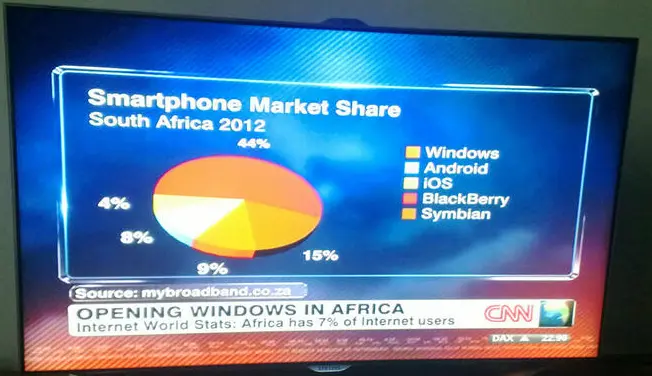
In South Africa, the picture is very different: Symbian leads by a massive margin (44%), followed by BlackBerry (15%), then Windows Phone (9%), fourth place is Android (8%), and last is iPhone (4%).
The problem is that we look at these analysts and international reports and assume they apply to us. They do not—and should not influence our understanding of our market.
The FNB Effect
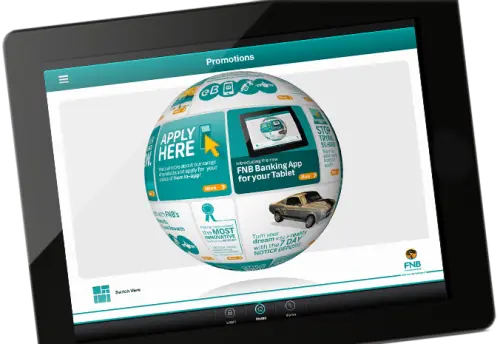
First National Bank—the bank that launched the first transactional smartphone app in South Africa and changed how we look at banking—did a lot to jumpstart app development for companies. What platform did they launch on? iPhone, and much later an Android app was released—still no Windows Phone, Symbian, or BlackBerry app (or, as I see it, 68% of the market). Since then, the number of times I have heard competing banks and companies in other industries start their mobile strategy with “FNB has iPhone—our customers expect iPhone” is staggering.
Those people are idiots. Their customers do not expect iPhone because FNB had an iPhone app; they expect an app for their phone.
There are two sub-points to consider with this factor, which are vitally important in understanding why FNB’s choice of iPhone worked for them—and why it may be right or wrong for your mobile strategy.
Know Your Customers
This is as much about the FNB effect as it is about statistics. Looking at the statistics, even for a country, is almost completely flawed. You need to look at what your customers have.
To help explain this, let’s compare two companies that both produced an iPhone app:
For Discovery, it totally makes sense to have an iPhone app. Private healthcare and life insurance are expensive and really only the top portions of the country can afford them—that’s the same market that buys iPhones. If your market has iPhones, you build for iPhones.
SABC, like so much at the national broadcaster, needs to appeal to the broad population. So they should be looking at total market share and building based on that. The issue makes less sense when you think that DSTV’s news channels and eTV’s news appeal to the upper LM groups more—so, in reality, SABC should be targeting the lower-income groups who buy cheap Symbian and BlackBerry phones. They didn’t, and it is just stupid of them.
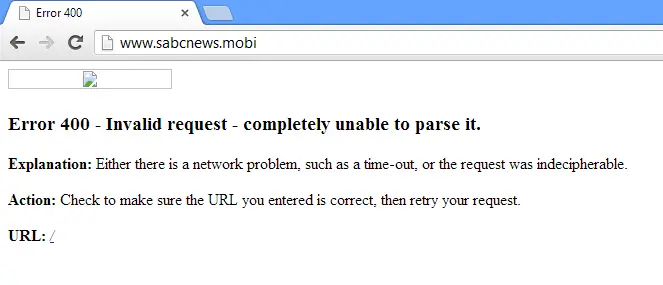
In fact, they should have a mobi site—since that would allow even broader reach—but of course, that doesn’t quite work either…
FNB’s App Isn’t Special—Their Marketing Department Is
The FNB app isn’t special. At best, the app idea was just smart business, seeing what the rest of the world was doing and getting on the bandwagon first. So why do we care? Because FNB’s marketing department is so damn amazing: they made it an important point in many of their adverts. They used it to highlight how far ahead they were and how slow and old their competitors are. They also used it in an aspirational way to appeal to lower-income groups: “One day I will be rich and own an iPhone. Then I want to be at a bank with an app.”
All four of the major banks in South Africa have apps for iPhone now—and still, we only ever talk about FNB. This isn’t because theirs is the best, but because they sold their app the best. They own the mindshare.
A second aspect of this story is that FNB has made it ridiculously easy to get an iPhone with them—firstly pushing up their stats of which platforms are important, and secondly reinforcing their marketing stories: “Wish your bank had an app? Wish you had a phone that could run an app? Come to FNB—we make it easy to have both.”
Development Is Hard for These Other Platforms
The final contributing factor to the myth that iPhone is the first port of call comes from the prima donnas involved in these strategies. You may know them as software developers. These folks will tell you that development for Symbian is tougher than milking a rattlesnake and development for BlackBerry is tougher than getting a date with Megan Fox. iPhone, Android, and Windows Phone development is easy by comparison, so you can get it done cheaper, quicker, or better.
That is, naturally, complete bullshit. It’s easier because these are sexier platforms, and because of that:
They don’t want to feel like an idiot when sharing what they do with their friends—who knows? Megan Fox might be there, and who will she date, the iPhone dev or the Symbian dev? (I call this the embarrassment tax—you pay extra for a developer to be embarrassed)
They likely have the devices today and already understand the platforms because they played with them in their free time. I’m talking about platform and not development. Understanding why something works on a platform is just as important as learning to code for it.
They like the fact they don’t need to learn new languages or tools. Android and Windows Phone developers are especially bad here since they’re the top-most common development platforms (.NET and Java).
In reality, Symbian is a marvelously stable and well-developed platform with many tools. In fact, if you don’t need a transactional app, they have tools that are completely code-less (i.e., everything is done visually). I haven’t worked with BlackBerry myself, so I can’t comment on their tools—but I’ve been on projects where someone else did BlackBerry work and I did Windows Phone. In those scenarios, we were mostly matched for development performance, and any differences were not because of the tooling.
Lastly, with tools like PhoneGap and Worklight getting better all the time, the need for native apps is getting really small. You can easily use web development skills with those tools to create hybrid apps for BlackBerry and Symbian. There’s this belief, though, that if you go hybrid, you have to go all in—which is totally bullshit too. I can totally see a native app built for your premier clients and then using hybrid—which may be a second-rate experience—to clean up the rest of the market share platforms have in your customers.
Summary
In reality, iPhone may be the right choice to go for. The issue is that there are so many people who don’t apply their minds to what they really need. Instead, these lazy people who make the decisions or feed information into the decision-makers just regurgitate the bullshit that’s out there.
What I’ve hoped to highlight is that there’s no one right strategy—just with a bit of thought and investigation, you can find the one that’s right for you and more importantly, your customers.
In my sabbatical to Redmond, I learned there are two departments at Microsoft you never want to hear from—because it’s never good: one is HR, and the other is Legal. On May 13, I got an email from Microsoft’s legal department, and it wasn’t good.
Microsoft, after 60,000+ downloads, nearly 6 months—and even getting mail from members of the Bing team—decided that my application, Bing My Lockscreen, violated their copyright (it did; I’m not disputing that). So it was suspended until it was fixed.
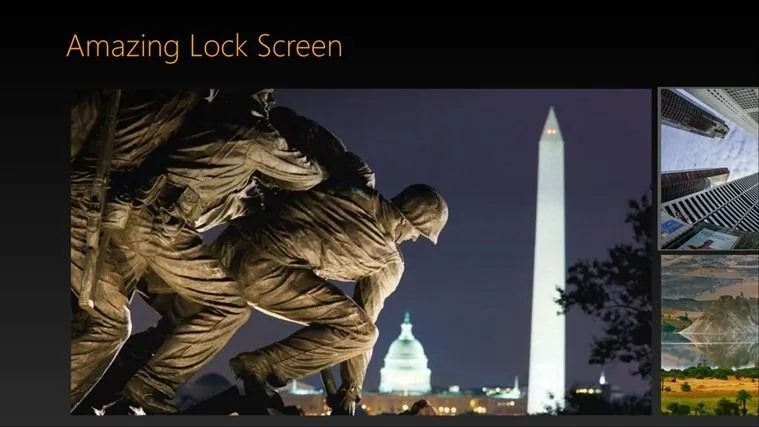
In the last two updates, I completed the process to rename a Windows Store App and am proud to notify you that the application is now called Amazing Lock Screen and is available in the store again!
In addition to the rename, I made two UI changes in the latest release:
Hero Image: The latest image is shown at double the size of the previous ones and displays the image copyright text (similar to what the Bing website does).
AppBar: The AppBar (the bit at the bottom of the Window) is now hidden by default, like most other Windows Store apps. The reason for these changes is that I think users are getting accustomed to the Windows style, so I don’t need to prompt as much as when Windows 8 launched.
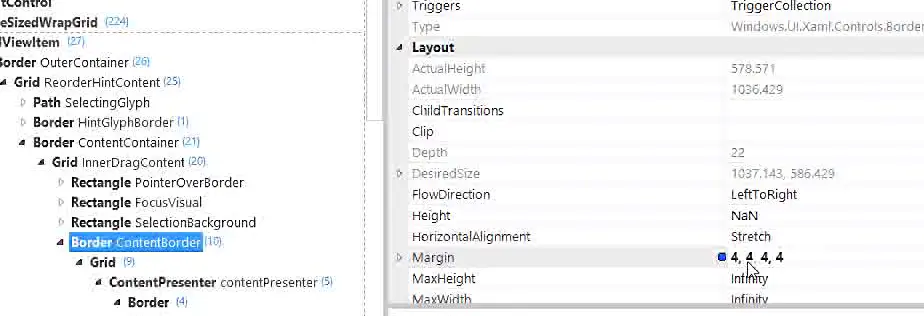
The above video shows the great XAML Spy tool, which is a massively helpful tool when working with any XAML-based application—like a Windows Store app. XAML Spy allows you to gain insights such as performance and memory usage, but for me, the real value comes when you attach it to the application: you get a set of small tools to use in the app to help identify and navigate the XAML.
Once you’ve found the piece of XAML causing issues, you can test your ideas in real time using the real-time editor functions, which really speeds up development. This is a must-have tool for those who take pride in their craft!
This post is both a development snack—something I think you should know to build better Windows Store apps—as well as part of the Treasure Map transparency, which are meant to show you how we built a real Windows Store app.
Lab Rat
In web development, there is often a concern to get the download size of a page down—and there are plenty of tools to help with this (Visual Studio has a lot for CSS & JavaScript)—but when we get to app development, size isn’t always as big a concern.
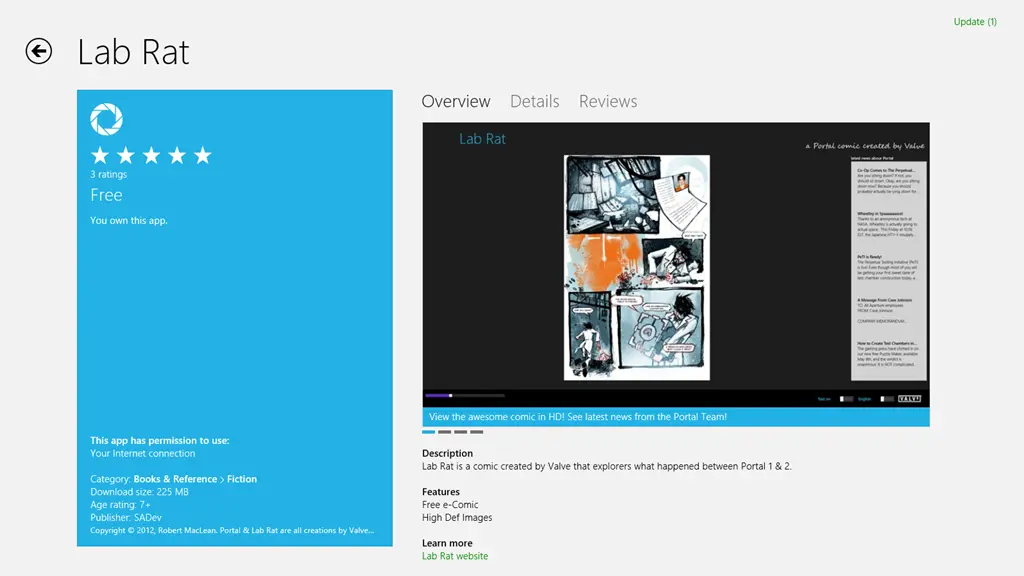
Windows Phone development made 20 MB an important limit, since that meant the download could go over 3G rather than requiring WiFi—this is why my Lab Rat comic book for Windows Phone is 17 MB in size. I made a very conscious choice to ensure it would fit under 20 MB.
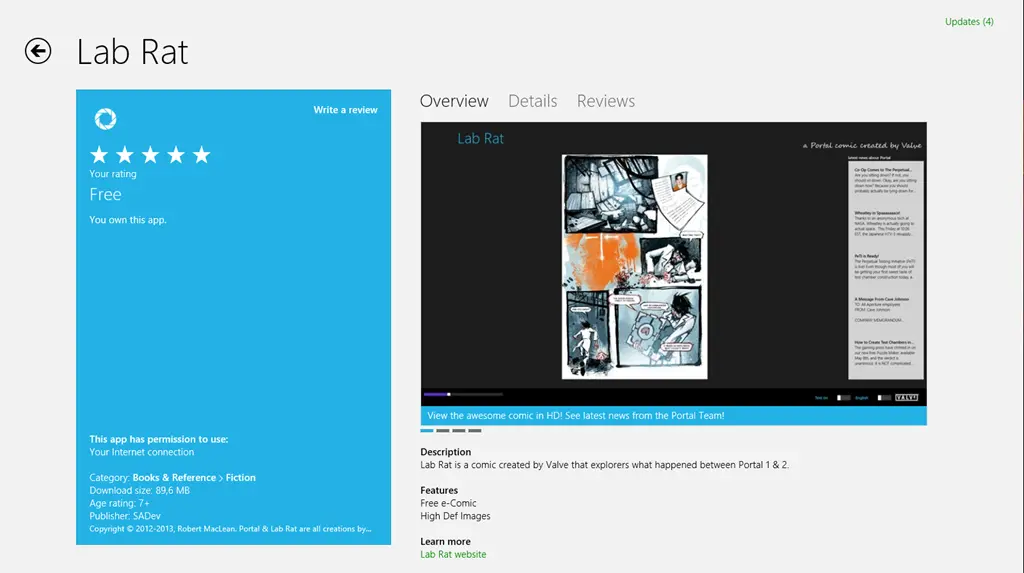
Windows Store apps don’t have a similar limit to Windows Phone, so when I was recreating Lab Rat for Windows 8, I just went with the highest resolution images I could so it would look great. This resulted in the download being 225 MB!
Treasure Map
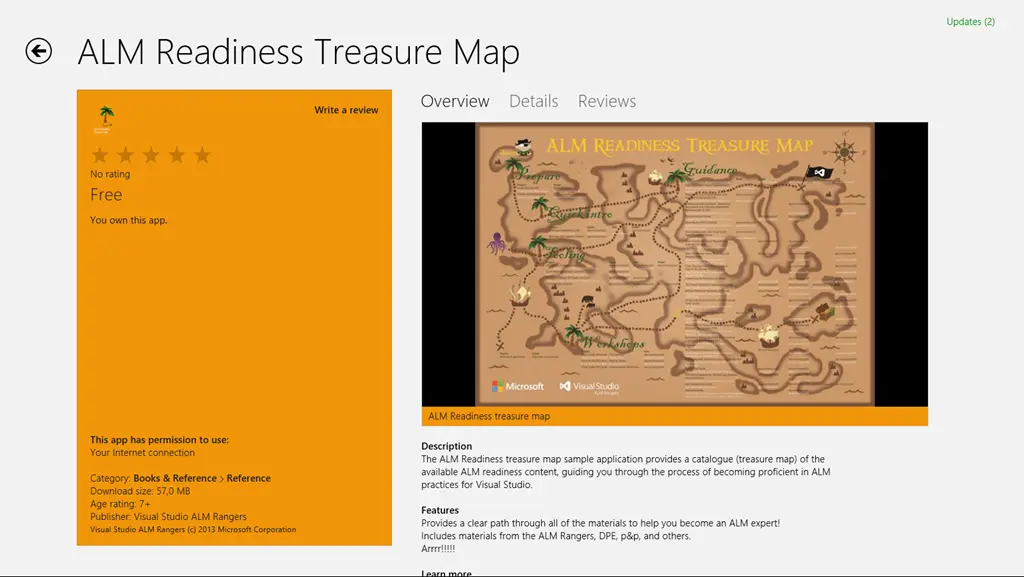
With version 1 of the Treasure Map, no one really thought of file size either—rather, the focus was on making it look and feel great. Which resulted in it containing a lot of high-resolution images, many of them in the JPEG format. When we shipped version 1, we shipped a 57 MB install!
Small is better
For version 2 of the Treasure Map, one piece of feedback we got (I believe the awesome Mike Fourie raised it) was that it was a big download. So I spent some time looking through our assets and doing some sneaky clean-up and in the process learnt a bit.
JPEG
It’s crap—use PNG instead. PNG offers better quality and is generally smaller in file size. So in both Lab Rat and Treasure Map, the first step was to replace all the JPEG images (including assets like the store logo) with PNG.
If you want more info on the differences between JPEG and PNG, see this amazing StackOverflow answer.
PNG 32, 24, 16, 8… oh my
A PNG isn’t PNG—in fact, PNGs can specify the bit depth of each of the channels they support, which directly impacts how distinct colors they support. They can also allocate a specific bit in the colors to indicate transparency. However, if you don’t need transparency—which is true for the bulk of Lab Rat and Treasure Map—you can save bits for color.
Very few images will have all 16 million colors needed, so if you identify how many unique colors there are, you can shrink the bit depth, resulting in a smaller file. I did some work on this and found two pretty interesting tools:
TinyPNG – a free website to do this. The only downside is that it processes one file at a time.
PNGoo – a free Windows tool that can do bulk changes. Not as easy to use as the website, though.
So I ran both Lab Rat and Treasure Map through these tools, and we got a massive saving in disk space:
Treasure Map went from 57 MB to (approx.) 11 MB—so a saving of 80%. The 11 MB is just a test on my machine and also includes a lot of new resources, so it may change by release.
Lab Rat went from 225 MB to 89 MB—a saving of 60%!
Summary
So in summary: use PNG, not JPG, and make sure you compress your images before you release!
This is the second post in the behind-the-scenes look at what it’s like to build and ship a product as an ALM Ranger. The product is the ALM treasure map.
It should also be noted that these posts are meant more as brain dumps than as actual learning references.
What to do with a drunken sailor (with capacity)
In our last sprint, I got all my work done quickly (no walking the plank here)—but I still had capacity. Since the crew also finished early, I couldn’t steal work items to keep myself busy. So what to do?
Step one: create some work items for myself.
Step two: do said work items.
Step three: ?
Step four: profit!
Hopefully these changes put us in a better starting position for v2 dev, which really kicks off in the sprint starting today!
What did those work items contain?
To create some work items, I started by swabbing the deck—cleaning up the solution, removing old folders, and refactoring code.
Tiles
Starting with the tiles, I went through our assets, removed unused icons, and renamed the existing ones so the correct tiles load at the right resolutions. This was much easier thanks to the improved manifest designer in Update 1 of Visual Studio 2012. I also found missing resolutions, which I sent to Anisha to create artwork for.
Async
Our DB load method used async but didn’t follow conventions properly—so it was changed to return a Task (I didn’t do this myself, but I’m glad it was fixed) and renamed with the _async suffix.
Category
For some reason, we had an old category.cs file in our view models, so in v1 we renamed it to categoryviewmodel.cs. That bothered me, so I removed the old file, renamed it, and fixed the class name. Hopefully, this makes navigation easier and helps with another task below.
ViewModel Injection
One issue in our MVVM implementation was that views were responsible for loading their own view models. Every view either handled this in its OnNavigate event or in XAML—nothing terrible, but inefficient. For example, switching between full and snapped views forced a view model recreation, which could lead to lost state (think: typing in a text box, switching to snapped mode, and losing input).
The fix was to have the navigation system handle this. Using conventions, it now finds the matching view model for a given view and reuses it if available; otherwise, it creates a new instance. The navigation system injects the view model into the view’s DataContext automatically, cleaning up the code in the process!
This added about sixty lines to the navigation code, but now views and view models are simpler to work with.
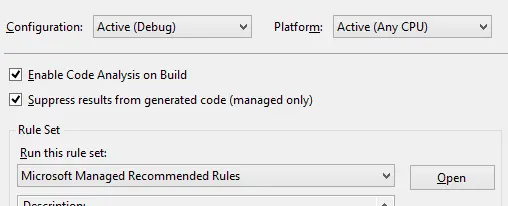
Visual Studio’s Code Analysis is part of our quality gate, so I bumped it to full rules (we usually use recommended) to see what it could catch. It found a lot—mostly unused code and cleanup tasks in AssemblyInfo.cs.
I’ve also enabled Code Analysis (with recommended rules) for VS debug builds. This way, we’re always thinking about quality gates while developing, which should make the final sprint smoother!
On Thursday I presented at TechEd Africa 2013 the third and final of my talks, which was very personal in nature as I spent a lot of time talking about what I did wrong and what I wish I knew when I started building Windows Store apps. The title of the talk was Windows Store Apps – Tips & Tricks!
Today I presented at TechEd Africa 2013 the second of my talks—which is my personal favorite—What’s New in LightSwitch 2013!
The one item I gave the least amount of coverage to was the SharePoint story, which is really amazing and deserved more. So if you would like to know more about it, have a look at Brian Moore’s blog post on this. Of course, no LightSwitch talk is complete without a mention of Michael Washington (who is Mr. LightSwitch—if he were born in the UK, he would be Sir LightSwitch already), but I never shared his website URL, so here it is: www.lightswitchhelpwebsite.com