MacOS utilities I find useful


After using a MacBook Pro for two years, I thought it was time to share what utilities I found really useful to have. These are obviously weighted toward being a software developer, so your mileage might vary. # Brew It is the missing package manager for macOS, so—as with NPM, Chocolatey, or Composer—you can install what you need via the command line. It may seem weird—like, What’s wrong with just downloading and installing what you need?—but the advantage is that you can write this stuff down. So if you ever need to reinstall it, it’s easier (and also easier to share to help others get up and running). A second advantage is updating: it takes one command to update all the tools I use. More info
VSCode
More than an IDE, this is my go-to tool for anything text—editing configs ✅, taking notes ✅, or anything, really. Install with Brew: brew install homebrew/cask/visual-studio-code An important tweak for VSCode is to make sure it launches from the Terminal. Thankfully, it is really easy. More info
Aerial
The Apple TV has the best screensaver I’ve ever seen, and some smart person ported it to macOS under the name Aerial. A word of warning: these videos are massive and will destroy your bandwidth. One tip to solve that? Under the settings is a Cache section—make sure you have "Cache Aerials As They Play" checked; otherwise, this will destroy your bandwidth. If you’re on an uncapped connection, there’s also a Download Now option, which is a must-use.
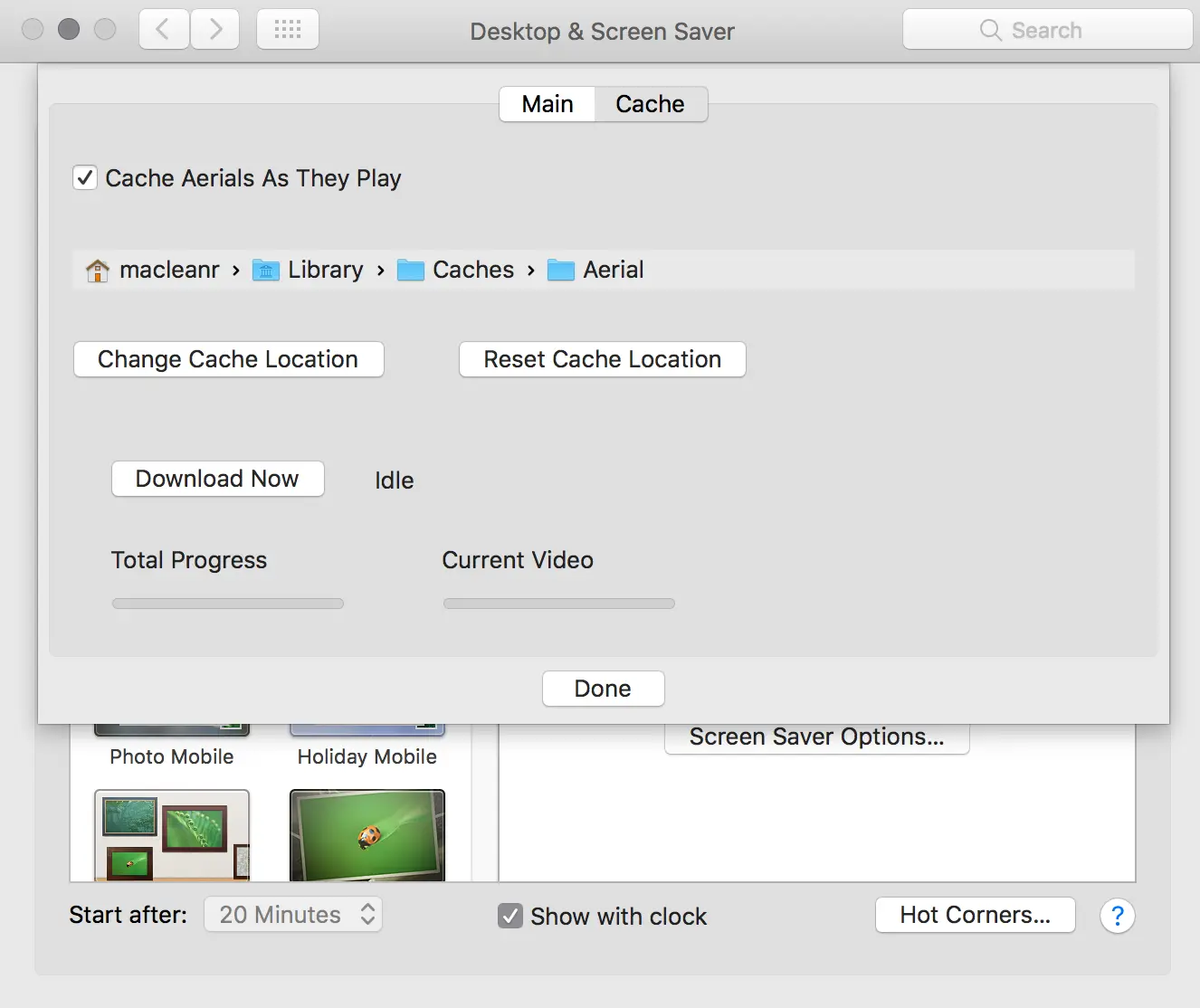
Install with Brew: brew install caskroom/cask/aerial More info
Fish
Bash is nice, but Fish is nicer—it just feels like what you’d expect in a modern world. Install with Brew: brew install fish More info
Fish Node Manager
Part of my job involves working with multiple projects, which means juggling multiple versions of Node—and that was a pain, until I found a Node Manager for Fish. It lets you easily switch between Node versions. Unfortunately, setup isn’t as straightforward as installation: you first need Fisherman, which is like Brew for Fish, leading to this 3-step process to install and configure it:
curl -Lo ~/.config/fish/functions/fisher.fish --create-dirs https://git.io/fisher
fisher fnm
fnm use latest
Amphetamine
Amphetamine is a massively useful tool for macOS—especially in DevOps, where you might wake up at night and need your machine to behave exactly as you want. Its core use? Preventing your Mac from sleeping, with configurable triggers (automatic or manual). Get it from the Store
Status Clock
Another very useful tool is Status Clock, which displays a second time in the menu bar—exceptionally handy if you work across different time zones. Get it from the Store
Settings Tweaks
Beyond useful tools, here are some handy macOS settings tweaks: