Windows Vista Power Button


In Vista there is the shiny new start menu with the shiny new turn-off options, and until recently I had been using the fly-out menu on lock to hit sleep, hibernate, or shutdown—etc. Thankfully, I have gotten over that through two dumb luck experiences.
Firstly, for my home box, I’ve been hitting the power button since it’s quick to resume and I don’t really worry about things. I always just thought it was putting it into sleep mode, well—this weekend I stumbled across a new feature in Vista (well, new to me) called help. It’s amazing; it’s like Google for Windows offline! 😂
Seriously, in the Help feature, I found an article on what the power button does. Basically, if you have an older machine, the power button puts it into sleep. However, if you have a more modern one, it puts it into hybrid sleep. This new mode works like both hibernate and sleep in shutdown (i.e., it does both). Then, when it needs to start up again, it checks to see if memory still contains the information (i.e., sleep mode), and if it does, restores—damn fast—from that. If it doesn’t (say, due to power loss), then it restores from the hibernate information.
The power button is the ONLY way in the Vista interface to do this!
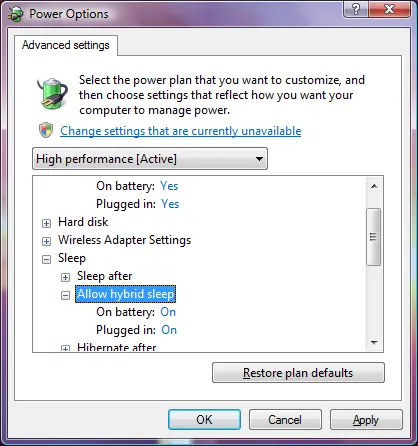
To check if you can use this or to turn it on/off, go to Power Options (either from the battery icon in the task tray or in the Control Panel), click Change Plan Settings on your selected power plan, then click Change Advanced Power Settings. Under Sleep, you’ll see the options.