Windows Store app Development Snack: Where is Microsoft-Windows-TWinUI exactly?
Published on Estimated reading time: 1 minutes


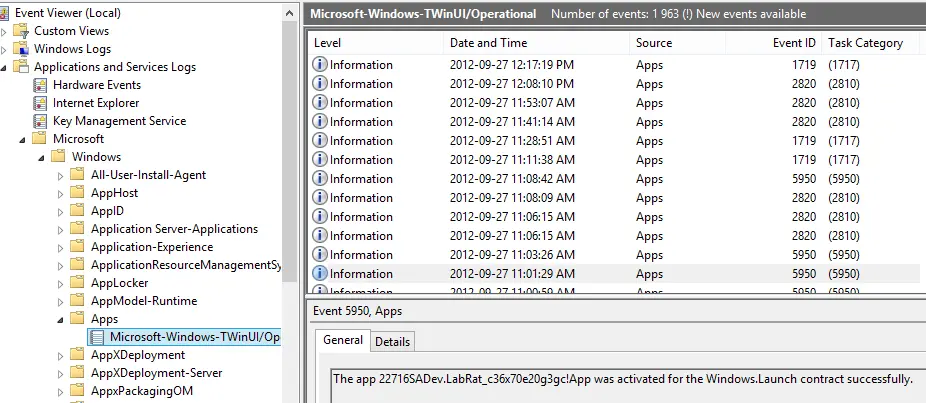 A lot of guides for developing Windows Store apps mention an event log where you can see information from the apps—this is especially important for those working with background processing, live tiles, and secondary tiles. In the documentation, it’s referred to either as TWinUI or Microsoft-Windows-TWinUI, but you may struggle to find it in the Event Viewer because the group it belongs to isn’t named that.
To locate it, go to:
- Application and Services Logs
- Microsoft
- Windows
- Apps
And there it is! Happy debugging.