Windows Store app Development Snack: Knowing your (memory) limits, will avoid problems in the store!


 Here’s an interesting requirement of Windows Store apps: they must run on a low-power computer. If (like me) you fail this, you get the error message shown in the screenshot—which suggests a test tool exists.
The problem with this tool is that it can test only HTML apps. So what can XAML developers do to help avoid this situation? Use Task Manager—it’s that easy! Just watch your memory usage while using your application. Once you have that, there are two things you can do.
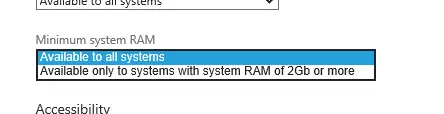
First, at the bottom of the Selling details page is an option to specify whether you need more than 2 GB of RAM—something that feels excessive for the types of apps I build, but perhaps useful for game developers. If your app exceeds 2 GB of RAM, make sure you set this.
Second, under the Description page, there’s an optional Recommended hardware section:
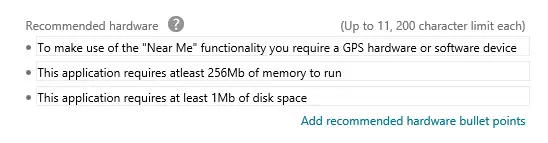 Here, you have free-form space to specify conditions about your application, including disk space and memory usage. I resubmitted the app that originally failed with just this information specified, and it passed—so it appears that this is taken into account.