Windows Store app Development Snack: Changing the application theme from dark to light


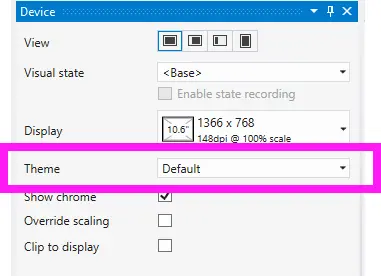 You may have seen in Visual Studio & Blend the option to change the Windows theme from dark (the default) to light. The problem is that at runtime, it seems to make zero difference—and there is no way in Windows 8 to change it (as there was with Windows Phone).
The solution to this is to change it in the App.xaml file—by going to the _Application_ node (the very first one) and adding RequestedTheme="Light" to switch to the light theme or RequestedTheme="Dark" to switch to the dark theme.

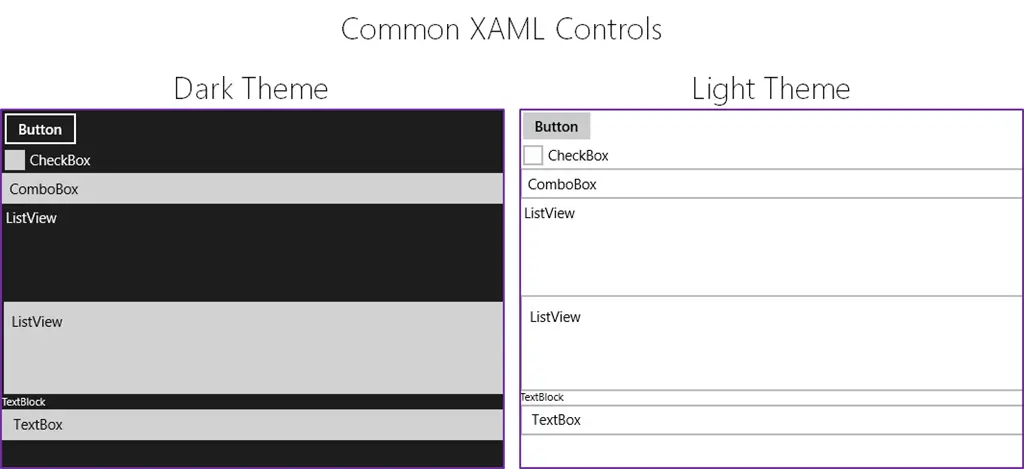
This will have a massive impact on your application’s overall appearance!
A word of warning—you may also see the runtime property for this under App.Current.RequestedTheme and assume you can change it at runtime. However, that will raise a NotSupportedException. What you can do is set it on startup, so if you want to change it “dynamically,” the user will need to restart the app for the change to be applied (Microsoft has a sample to demonstrate this).

Lastly, an interesting tidbit from the documentation on this:
This property is ignored if the user is running in high-contrast mode.