Windows Store app Development Snack: Being a sharing target while your app is running


Being a share target seems like a great idea to get people to use your application more, however it does have a fairly complex problem: if I do a share to my application while it’s running, what happens—does it start a new instance or use the existing instance? You may say this can’t happen since Windows 8 doesn’t allow more than one application to run at a time… but you would be wrong.
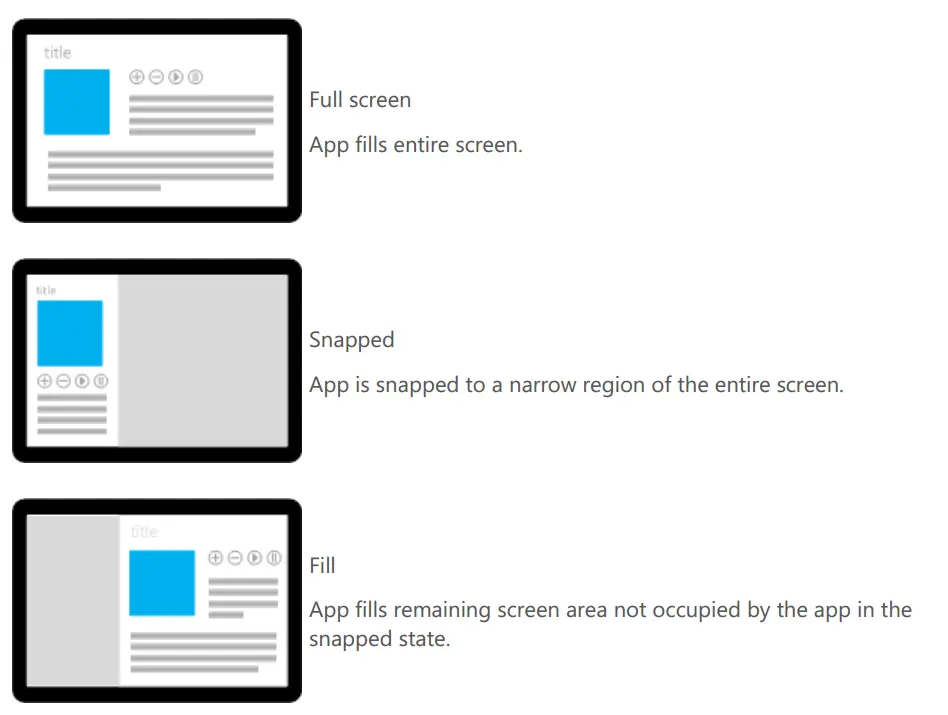
Snap view in Windows 8 allows for two Metro-style applications to run side by side, thus allowing two apps to run at the same time. In fact, you can run three apps at a time: one snapped, one filled, and then you do a share target, which launches a third app!
So back to the question: what happens if your app is running in snapped view and you share from the filled app to your app, which is currently snapped? The answer is that it uses your existing application but from a separate thread.
To test this, I put a simple Boolean field into the constructor of my App class and set it to true. Then, when the _OnShareTargetActivated event was raised, I checked the value of that Boolean field—and it was true if the app was running!
You should come up with a solution for this (or at least test it). In my case, the _OnShareTargetActivated wrote to the application store, and my main UI, which used that, would poll for changes. I had to do this rather than triggering the UI directly because the _OnShareTargetActivated was launched in a separate thread, and trying to trigger it caused a cross-thread issue. (I did try dispatcher fixes, but that led to a variety of COM issues.)