Visual Studio 2012 - LightSwitch: The selected project was created by a newer version of this application and cannot be opened.


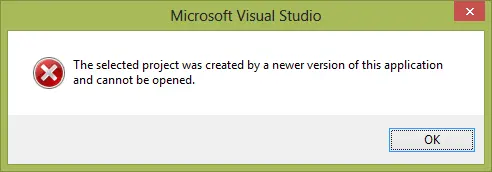 You may have run into this annoying dialog when creating an HTML application with Visual Studio 2012 LightSwitch after installing Update 2 CTP 4. The issue does not appear when creating a “normal” application.
The cause of this is a conflict between the old bits that came with the Office Dev tools update and the new bits that came in the Visual Studio update.
Prevent it in future!
You can prevent this by following these steps [source]:
Before installing CTP 4, you must uninstall HTML Client Preview 2 and clear the Application Manifest cache:
- Open Add or Remove Programs.
- Select the entry for Microsoft LightSwitch HTML Client Preview 2 for Visual Studio 2012.
- Right-click the entry and select Uninstall.
- Select the entry for Windows Azure Tools for LightSwitch HTML Client Preview 2 for Visual Studio 2012 – June 2012 SP1.
- Right-click the entry and select Uninstall.
- Clear your application manifest cache by deleting the following folders:
%localappdata%\Microsoft\MSBuild\VSLS\11.3%localappdata%\Microsoft\VisualStudio\11.3
How do I fix it?
While the above is useful information ahead of time, it is not helpful after the fact. So how do you fix your Visual Studio to be able to access the fantastic new LightSwitch bits?
 Your mileage may vary with this, since this was found through trial and error as it was fixed on my machine.
First, shut down Visual Studio, then follow the steps above. Once done, run the CTP 4 installer again and choose the uninstall option. Once it is completely uninstalled, reinstall the CTP.
Finally, make sure you double-check that you’ve cleaned the manifest cache (step 6 above)—it won’t hurt to do it again either. Just ensure Visual Studio is closed when you do it.
Do not try a repair
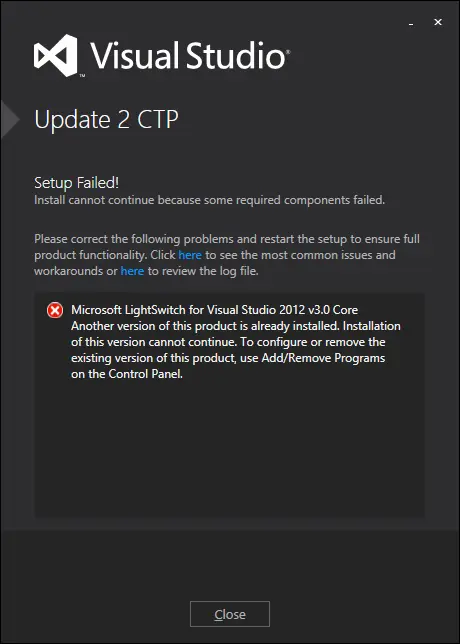
You may think a repair is as good as an uninstall/reinstall of the CTP. It isn’t—since it gives you this lovely fun: