Subjects - MSCRM 4.0 takes two steps forward.


Subjects in MSCRM use this interesting tree view structure, which allows you to associate cases, knowledge base articles, and products in interesting ways. However, they have never been customizable—which has limited their usefulness—along with a few other interesting limitations.
Well, MSCRM 4.0 takes two steps forward in making subjects more useful, namely:
You can now delete used subjects. In MSCRM 3.0, once you used a subject, it was locked and could never be deleted—even if you updated all your cases, etc., to another one. This made managing the tree a nightmare since it basically meant you got one chance.
In MSCRM 4.0, provided nothing is currently associated with the subject, you can delete it. If you try and delete one that is still in use, you’ll get an error message. Simply fire up Advanced Find, remove or update the linked items, and you’ll be able to delete the subject!
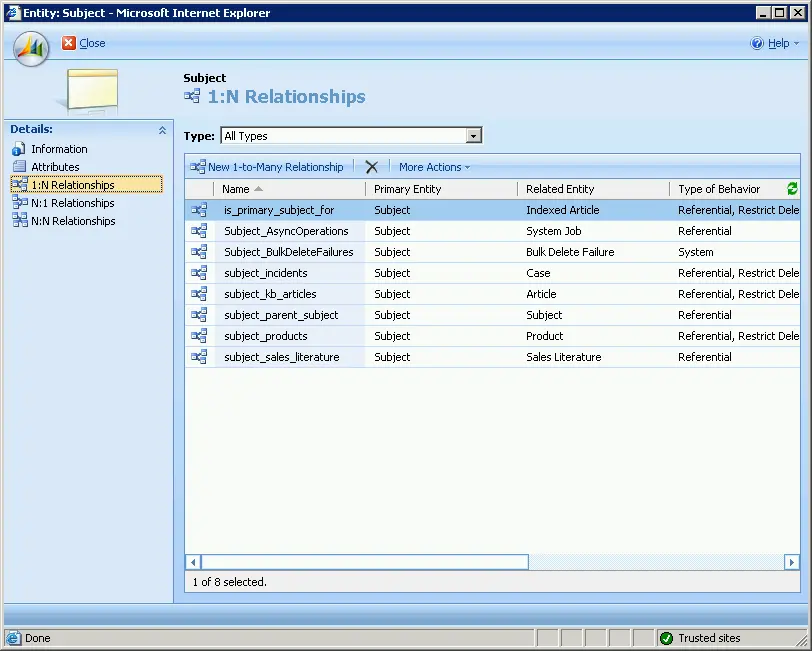
You can now associate subjects with other entities! But not yet with the full power of MSCRM 4.0. In fact, the only available relationship is one-to-many (1:N) (see the attached screenshot). Many-to-one (N:1) and many-to-many (N:N) relationships are still not supported.
This means that your custom entities or system entities can now use the main subject tree!
It’s still not where it needs to be—namely, support for multiple subject trees, customization options (even just adding attributes would help), and better display showing full structures (like X > Y > Z)—but it is now much more usable than before.