Social everywhere doesn't work


Not being on a social network is like having a company that doesn’t appear in your favorite search engine—it’s just a requirement of being online in our era. For a long time, I tried to reach the utopian world of an integrated social experience where everyone was everywhere, and my updates, posts, and pictures trickled across all social networks. That way, no matter what I did, you could hear what I had to say or was doing.
This was a stupid idea, and I thought I’d share my learning’s → learnings about that process.
Problem 1 – He with the Most Friends Wins
With Facebook, I fell into the trap of accepting every friend request, loading my address book into it, and basically using any other “tricks” I could to increase my friend count. This meant logging onto Facebook became a stream of noise from people I really didn’t care about, and over time, I moved away from Facebook as the value I took out of it was low.
The solution was to create a set of guidelines for people to be my friends on Facebook. I’m not going to cover all of them—I’ll just focus on two, but I had about five or six rules that helped me decide who to keep or accept:
- Time span rule – If I hadn’t seen you or had more than a Christmas email in five years or more, you were out.
- Override – I could keep anyone for any reason, breaking any other rule.
😉
Using my rule set, I trimmed from over 300 friends to fewer than 90, and Facebook is now a daily visit because I actually care about the thoughts of those 90 people.
Summary: Be very selective about who you follow on your social networks.
Problem 2 – The Right Tool for the Right Job
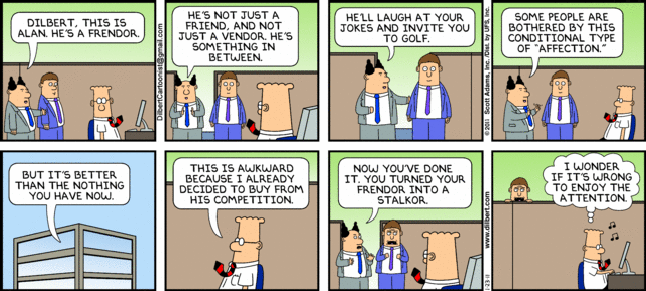
One of the problems with Facebook friends is that many of them were “frendors” or people I’d just seen in the halls at work. Facebook isn’t meant for great communication around work, though, so there are better options for them:
- LinkedIn – Best for business partners, frendors, business contacts, and key direct coworkers. This ensures higher-value conversations because they’re more business-focused, and people care deeply about their careers there.
- Yammer – For coworkers, regardless of anything else. It’s also great because it’s a walled garden, allowing private conversations that are company- or team-specific.
- Twitter – If we met at an event and want to hear from each other but don’t need deeper engagement, Twitter is a great place to start. Many people begin here and may later move to other networks.
A few people do appear on multiple networks, but those are exceptions. Most end up in one place.
Summary: Use Facebook for friends & family, LinkedIn for your professional career, Yammer for coworkers, and Twitter for everything else.
Problem 3 – Auto-Post Is Not Your Friend
I personally spend more time on Twitter than any other network and eventually set it up so that every tweet automatically posted to Facebook and LinkedIn. The problem? Twitter is unfiltered—I post a lot of jokes or half-baked ideas that detract from my professional image on LinkedIn or confuse my friends and family on Facebook.
Thankfully, this can be fixed: Don’t auto-post. LinkedIn supports this with a setting you must enable, Yammer does this by default, and for Facebook, instead of using the standard Twitter app, you can use the Selective Tweets app. All these require tagging a tweet with a special hashtag for it to auto-post, like #fb for Facebook, #yam for Yammer, and #li for LinkedIn.
So if I post something on Twitter and want it on Yammer and LinkedIn, I append the tags, and it appears on all three networks—but not on Facebook.
Summary: Post selectively to the right social networks.