Netflorist & the plain text problem


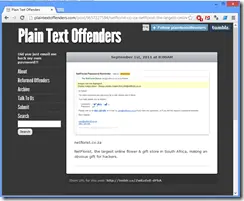 Two years ago I used Netflorist to buy some flowers, but first I needed to log in. I had forgotten my password, so I used the "Forgot Password" option.
In the email I got was my actual password—which shows a MASSIVE problem in the design of the system that Netflorist uses. The password is either:
- stored in plain text,
- encrypted.
Why am I talking about this now? Because two years later, Netflorist still hasn’t fixed it! They’ve had the time to do so—so let’s call them out, and if this helps some unethical person hack them (and I’m not encouraging anyone to do so), then tough luck for them.
What is plain text?
This is plain text—just the raw text. Why is this a problem for passwords? Because if someone gains access to the database (physically, remotely, via hack, or restoring a backup), they can see all the passwords.
This poses a low risk for Netflorist since they don’t store credit card details, but it’s a MASSIVE risk for customers.
The sad truth is that most people are lazy and reuse the same password across multiple websites—which means the details from Netflorist could be used to commit fraud and theft elsewhere.
Scenario
Netflorist, being a responsible company, keeps five years’ worth of backups offsite. If someone at the offsite company accesses those files, restores the database, and retrieves all email addresses and passwords, they could then log in to TakeALot using those details. Since TakeALot’s credit card provider stores card numbers, the criminal could purchase tons of stuff!
Just imagine the damage if someone uses the same password for their email and their bank’s second-factor authentication sent via email—all your money could be stolen… thanks to Netflorist’s poor security practices. And if that happens—and the bank wasn’t at fault—you wouldn’t get your money back!
Encryption is enough! Right?
Now we’re getting a little technical. There are many types of encryption (two-way, public/private key), but the core issue is this: in all cases, encrypted data requires a salt (or key or password—they’re all synonyms) to decrypt it.
If we store a password encrypted in the database, we also need to store the key somewhere so it can be decrypted when sending an email. But if someone gains access to the database, they’ll likely get the salt too. Once they have the data + salt, the password is effectively in plain text.
Yes, this is harder to exploit than plain text—but harder isn’t the same as impossible.
So how should Netflorist fix this?
This isn’t simple because we’re dealing with security, and doing it right isn’t easy. Fortunately, OWASP has created guides to help:
In short, they should do three things (this is a super simplified version—read the guides for full details):
- Don’t store passwords in plain text or encrypted. Hash them instead. Hashing is like one-way encryption—you can take the password + salt, generate a hash, but you can’t reverse it to get the original password.
- The hash relies on a unique salt per user, preventing rainbow table attacks.
- For the "Forgot Password" system: since you can’t recover a password from a hash, don’t send it in an email. Instead, implement a password reset flow where users input unique info via a secure channel to set a new password when they forget theirs.
What can you do?
First, contact Netflorist (Twitter, email) about this risk—hopefully, they’ll fix it. Second, reduce your own risk by never reusing passwords across sites. You can use tools like LastPass (which manages passwords and enforces strong, unique ones) or create memorable passphrases, like:
- Netflorist: "This is netflorist222"
- TakeALot: "This is takealot222"
It’s easy to remember, unique, and strong. (Just tweak the example to suit your own style!) Be sneaky!