.NET 4.5 Baby Steps, Part 7: Regular Expression Timeouts


Other posts in this series can be found on the Series Index Page. # Introduction
While regular expression matching in .NET is quite fast, there are times when it may take too long for your needs. Until now, you had little choice but to wait. In .NET 4.5, you gain the ability to enforce a timeout on regular expressions if they run too long.
Problem
Let’s examine a deliberately absurd example to demonstrate the issue: checking a string of fifty million characters—where only one differs—against a regular expression looking for fifty million letters. It’s not practical, but creating a truly slow regex is difficult.
static Regex match = new Regex(@"\w{50000000}", RegexOptions.None);
static void Main(string[] args)
{
    var sw = Stopwatch.StartNew();
    Console.WriteLine(match.IsMatch(String.Empty.PadRight(49999999, 'a') + "!"));
    sw.Stop();
    Console.WriteLine(sw.Elapsed);
    Console.ReadLine();
}
This takes 13.5 seconds on my machine!
Solution
 To leverage the new timeout feature, simply modify the
 Regex constructor by adding a third parameter:
static Regex match = new Regex(@"\w{50000000}", RegexOptions.None, TimeSpan.FromSeconds(5));
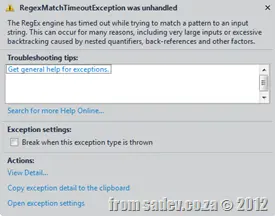
Now, after five seconds, a RegexMatchTimeoutException is thrown.