MOSS 2007: Can't upload multiple files and can't use explorer view


First let me start with an introduction to set the scene, which could be summarized in 5 words😉 If you are in a hurry, skip below to the smiley face. So I started at my new employment at the beginning of the month and got a new laptop—a HP EliteBook 8510w (with all the top-end options, in case you care)—which gave me the chance to think about what OS to use. My focus at BB&D is primarily around Microsoft technologies, so using a Microsoft OS as my base OS made sense. I’ve used Vista for a long time and am happy with it, so that was my initial plan. However, since I’d be doing a lot of demos and R&D, I thought about the virtual machines I’d run and decided that running Windows Server 2008 would be better because I could then use Hyper-V for VMs and avoid the issues that plague Virtual PC (cough performance cough).
Summarized version: This is on Windows Server 2008. (Told you it was five words.)
Anyway, on this machine, I wanted to upload a bunch of files to a MOSS 2007 site, so I went to the action menu → File Upload, and—dum dum dum!—the multiple file upload was gone! So I switched to Cool Explorer View and tried dragging the files in that way—nice, quick, and WRONG! It was broken too 😒 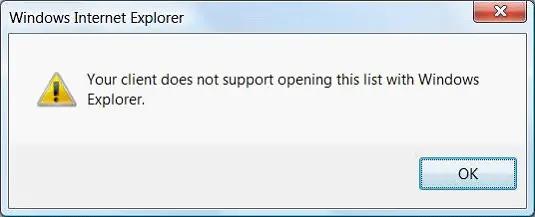
Since I really didn’t want to upload each file individually (it would take forever), I needed to fix one of them. This kicked off my usual troubleshooting: try this, Google that, tweak this—but nothing worked. After a while, I suspected the server might be the issue, but no one else reported problems, so it had to be my machine. More troubleshooting for my machine eventually revealed the root cause: Windows Server 2008 (for Hyper-V) was running 64-bit. In 64-bit Windows, there are two versions of Internet Explorer—a 32-bit and a 64-bit version—and I’d been using the 64-bit one. Switching to the 32-bit version fixed the problem instantly.