Layout data horizontally in SRS


I recently had a question about layout in Reporting Services. Basically, if you use a table, you get a vertical layout, like this:
| First Name | Last Name |
|---|---|
| Brad | Pitt |
| Bill | Gates |
| Linus | Torvalds |
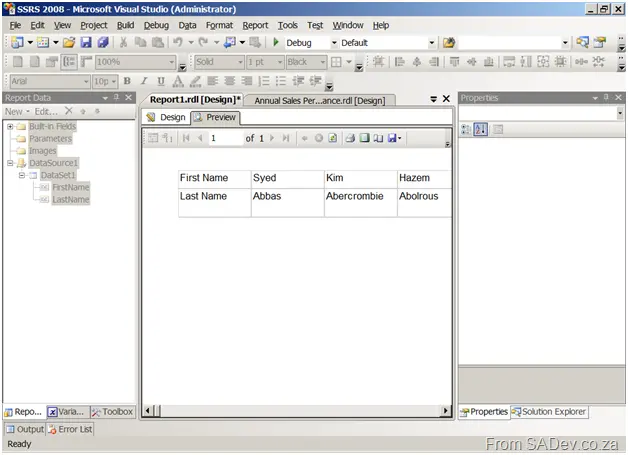
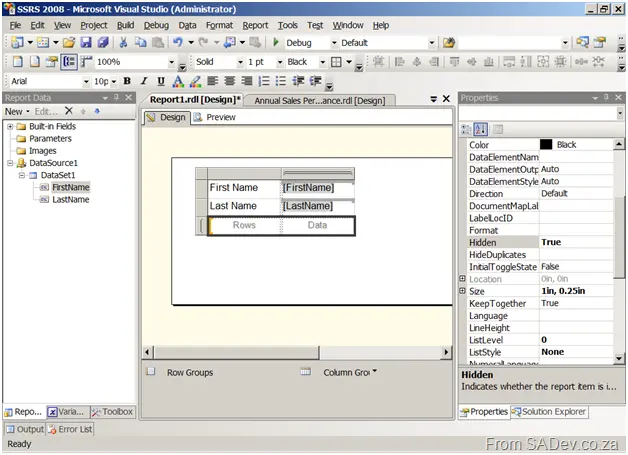
But what if you want to go horizontally? Sure, there could be UI issues because the report will get wider and wider with more data, and it could influence the quality of export or printing. But in a special scenario, it would be very useful. Unfortunately, the tablix control (Table + Matrix + List in 2008—see my post on what’s new for more info) does not offer this natively. However, using a trick, you can get around it. First, you need a tablix in matrix format (i.e., drag a matrix onto the form), and then add a new column header for each column—but instead of putting header text in there, you put the data in there. You ignore the rows and data cells (in fact, you can hide them by setting the Hidden property to true).
And the output is a horizontal layout of data: