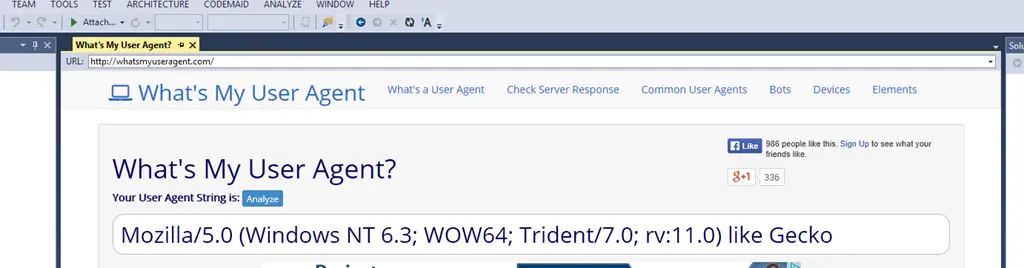
Improve the embedded browser in Visual Studio


Visual Studio has an embedded browser, but it uses the IE 7 render path—really, that’s pretty messed up.
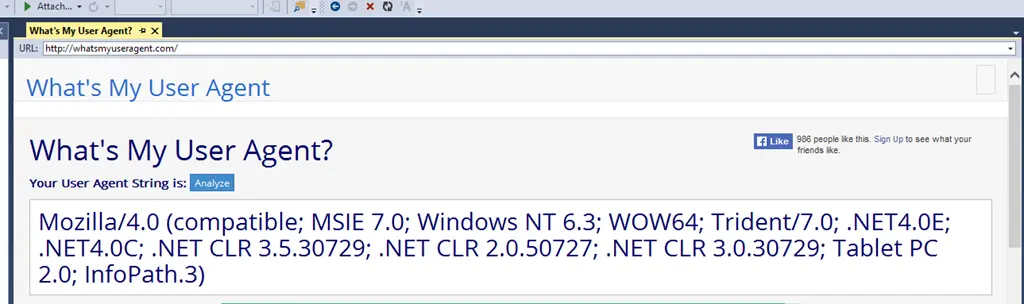
And worse, it can cause the internet to break.

Thankfully, you can fix this yourself with a quick registry addition. Note: Fiddling with the registry can break your device, so be careful—this comes with the usual “this works on my machine” disclaimer, and you do this at your own risk.
The key you need to care about is:
HKEY_LOCAL_MACHINE\SOFTWARE\Wow6432Node\Microsoft\Internet Explorer\Main\FeatureControl\FEATURE_BROWSER_EMULATION
Note: The Wow6432Node bit is needed since Visual Studio is a 32-bit process. Inside, add a new DWORD key named devenv.exe.
I set the value to (HEX) 2AF9—since I have IE 11 on my Windows 8.1 machine—but you can pick from the list to best suit your needs. Now it just works!
No more issues on GitHub.

A much better-looking user agent.