How to attach to process before the application even starts?


There are many ways to debug in Visual Studio. Normally, you just hit F5, compile, and run the code with debugging. However, sometimes you need to debug an executable you have already built or debug on another machine. I mentioned this previously: you can use the Attach to Process option to debug MSCRM assemblies that exist on other machines and/or run by an executable you do not control.
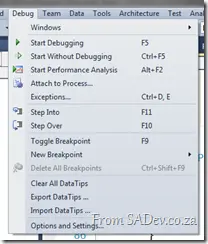
This works great, but recently I had an issue where the application would start and (silently) die within seconds, but only in test (never in dev). It happened so quickly that I couldn’t attach the debugger in time. So how can you debug that scenario?
Thankfully, this is very easy: just go to your Visual Studio project settings and switch the Start Action to Start External Program, set the path to the executable, and then hit F5!
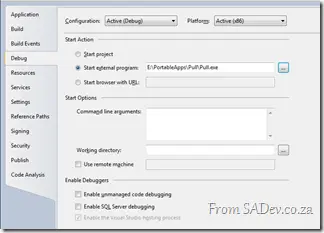
What this does is start the executable, attach the debugger, and work with your code—so no more racing against the Attach to Debugger options! 😊