Code Formatter


If you want to commit to the .NET open source code, you need to follow the coding style that the teams use—and to assist with that, there is a helpful tool you can run over your code called Code Formatter. It’s a simple command-line tool that you can run over your code to fix up the style.
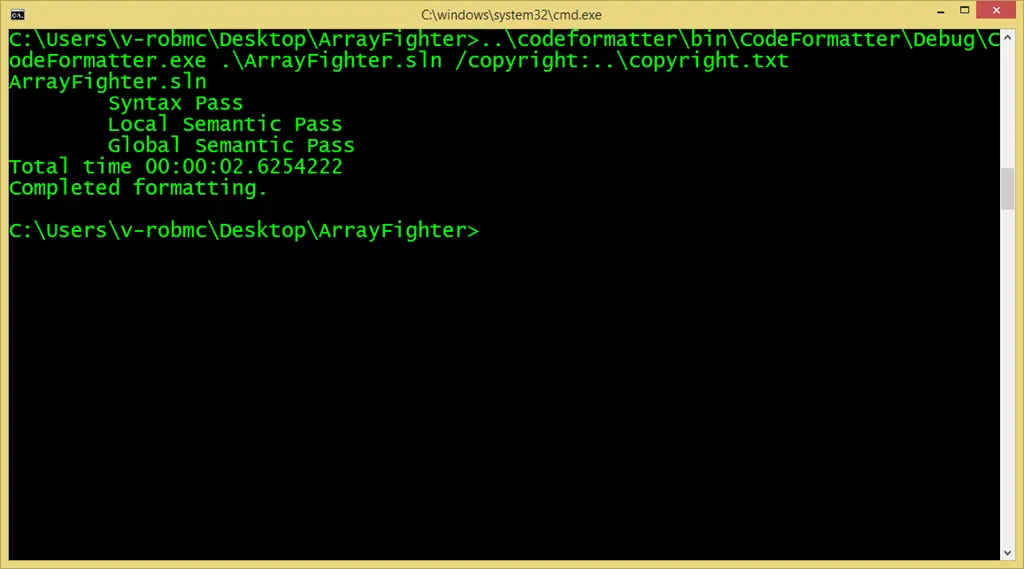
Ultimately, I think this is a great tool and something that can easily be added to your build process to keep the code clean. I’d love to see someone like Steve Cadwallader, who made CodeMaid, start to introduce this tool so it can become part of Visual Studio.
A quick test
I decided to take it for a spin over my array fighter code, since it is a fairly messy piece of quick code I wrote, to see what would change—and it was really minor. First up, copyright headers were added, and I played with that to tweak the header a bit, which was a great option.
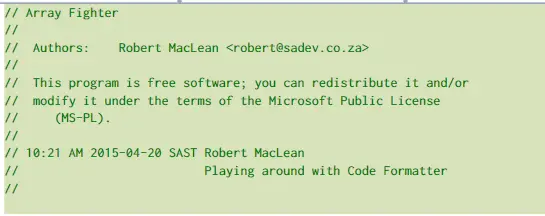
Second, all my items had accessors placed on them, and my fields were changed from starting with a capital to starting with a lowercase and underscore.

A bigger test
For a second test, I ran it over a HUGE project—which is frankly a disaster—and it took less than 10 seconds to handle just a few thousand files. Some things I noticed were:
- The removal of blank lines:

- Changing the copyright symbol to a Unicode number:

- Prefixing static fields with
s_:

- Adding spaces in auto-properties and between member names and getters/setters:


I don’t personally like all of these changes, but they make sense—and it’s configurable.
Looking at the code
Since this is an open-source tool, we can look through the code for some interesting bits. The first area I examined was the unit tests, since they are all unit-tested using XUnit, and I really like how they structured them—simple to read and work with.
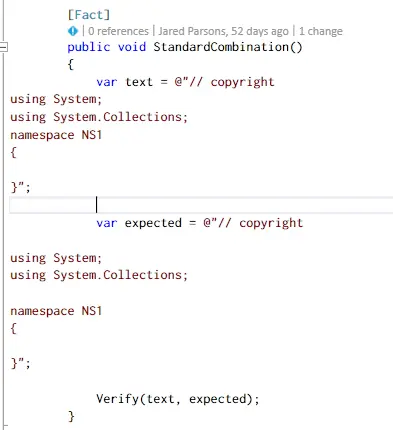
Nice to see someone using System.ComponentModel.Composition for a lightweight DI framework, since it’s been talked about so often but rarely seen in practice. The most interesting part, though, is that this is built with Roslyn—and it’s amazing how readable the code is. For example, here’s the code to insert the copyright header in about 20 lines:
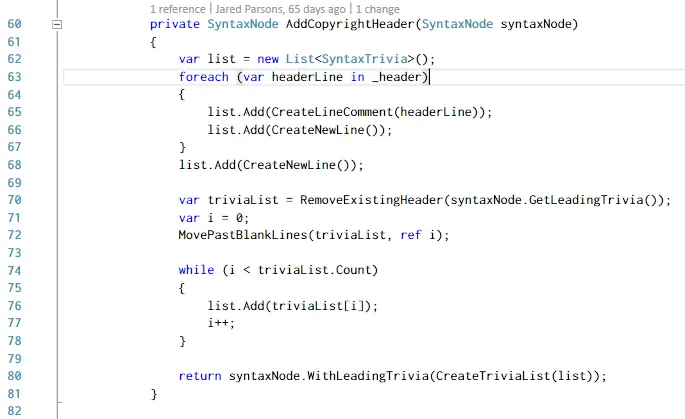
If you’re looking for Roslyn examples, this is a great place to start.
Dead Regions
Hidden inside the solution is a second tool named Dead Regions, which finds and potentially edits conditional compiler blocks of code that are always TRUE/FALSE. It’s interesting, but I’m not sure it has as broad use as the formatter. Check out the readme.md for a good write-up on it.